
From walkthrough to reveal, one polished proposal
Whole-room transformations live and die on selections, allowances, and clear phases. Smart Scope turns your walkthrough photos and design conversation into a proposal that reads like your firm — line items, tiered finishes, allowances spelled out — sent before the inspiration board cools.
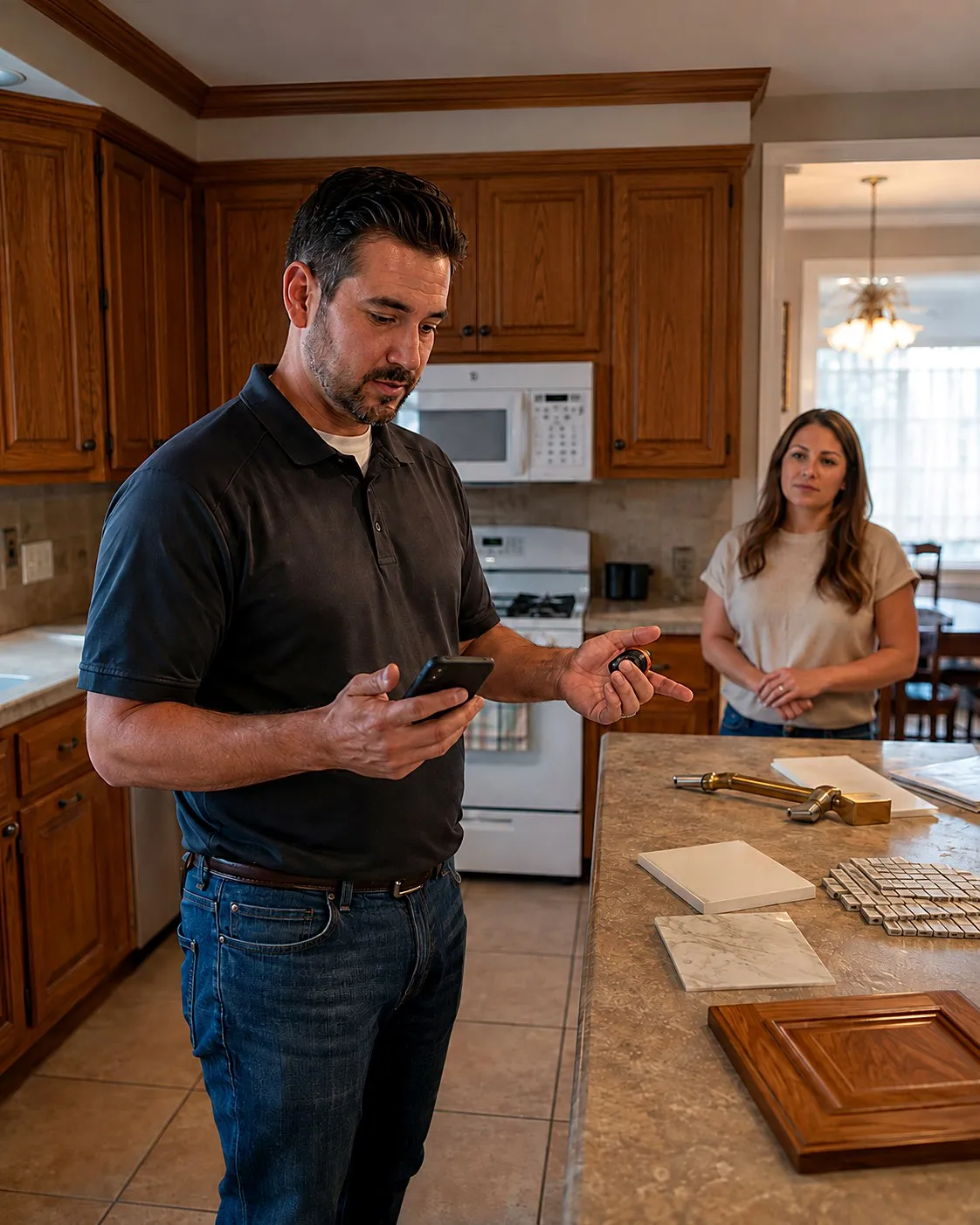
Built for design-forward remodelers
The room becomes a scope
Photograph the dated primary bath or the closed-off kitchen wall and talk through the transformation. The AI drafts it as a structured scope — demo, rough-in, finishes — so you refine instead of retyping.
Your rates behind every phase
Your price book carries your real numbers — demo by the room, tile by the square foot, cabinetry runs, your design fee — so proposals are grounded in how your firm actually prices.
Selections while you talk
Discuss quartz versus butcher block out loud in the space. Those decisions become tiered options and named allowances on the proposal, not scribbles to decode later.
Momentum wins remodels
Homeowners sign with the firm that turns excitement into a concrete plan. A polished, branded proposal the same day keeps you ahead of firms still “working up numbers.”
Deposits phase by phase
Digital signature and deposit at commitment, with payments structured against the phased schedule — design, rough, finish — collected inside the app.
Margin per transformation
See which projects actually earn — baths versus kitchens, full-gut versus refresh — and steer your pipeline toward the work that carries the firm.
One walkthrough, a proposal that sells the vision
Walk and envision
Tour the space with the homeowner, capture every angle, and talk through what the room becomes.
AI structures the project
The conversation turns into phases, line items, allowances, and finish tiers — all priced from your book.
Present and commit
The branded proposal lands in their inbox that day; they pick their tier, sign, and pay the design deposit.
Three remodels, scoped in the room
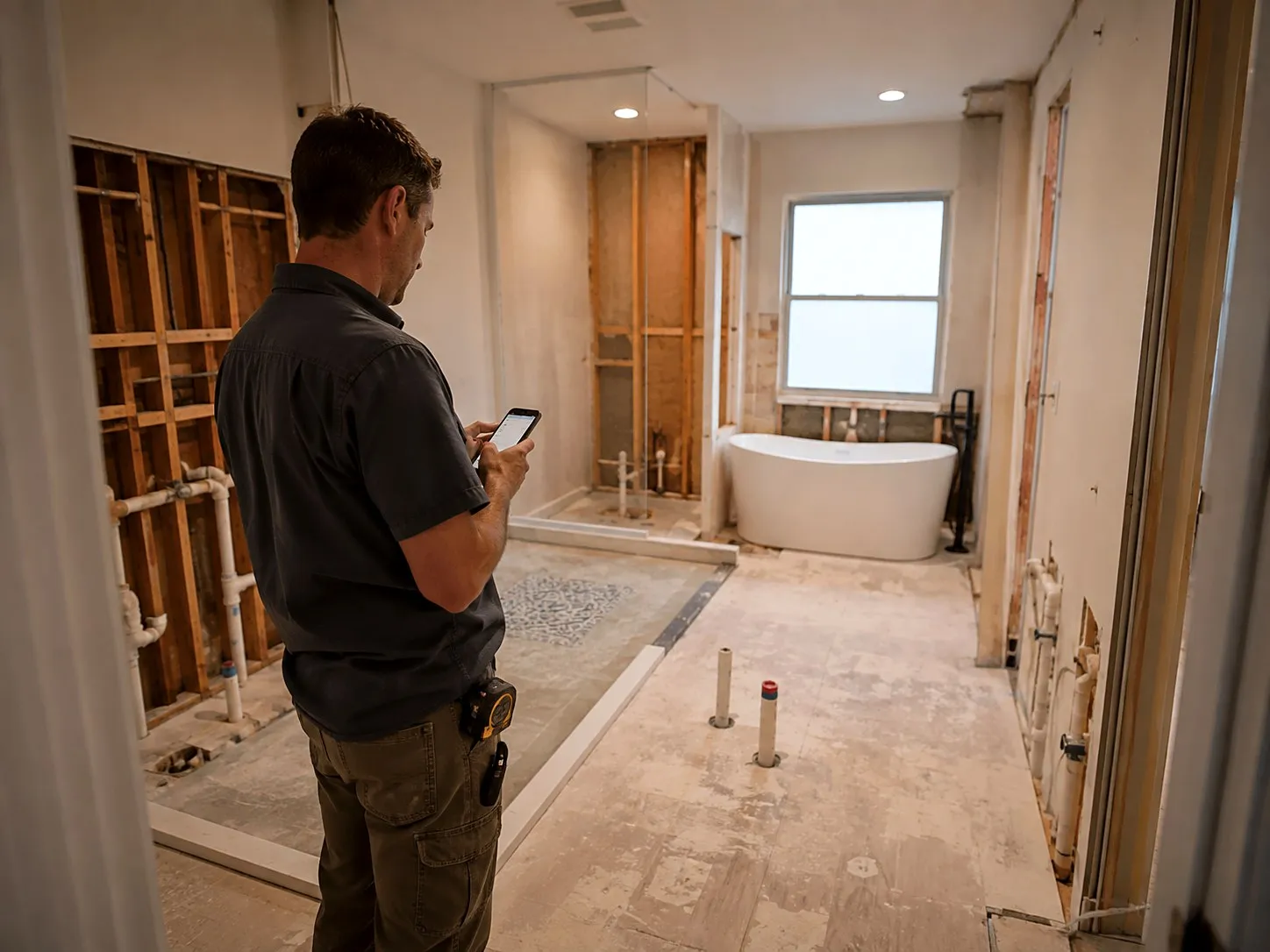
Primary bath gut remodel
“Full gut — move the toilet a foot, curbless walk-in shower, freestanding tub, double vanity, heated tile floor.”
A phased proposal with demo, plumbing relocation, and finish work itemized, tile and fixture allowances named, and your design fee as its own line.
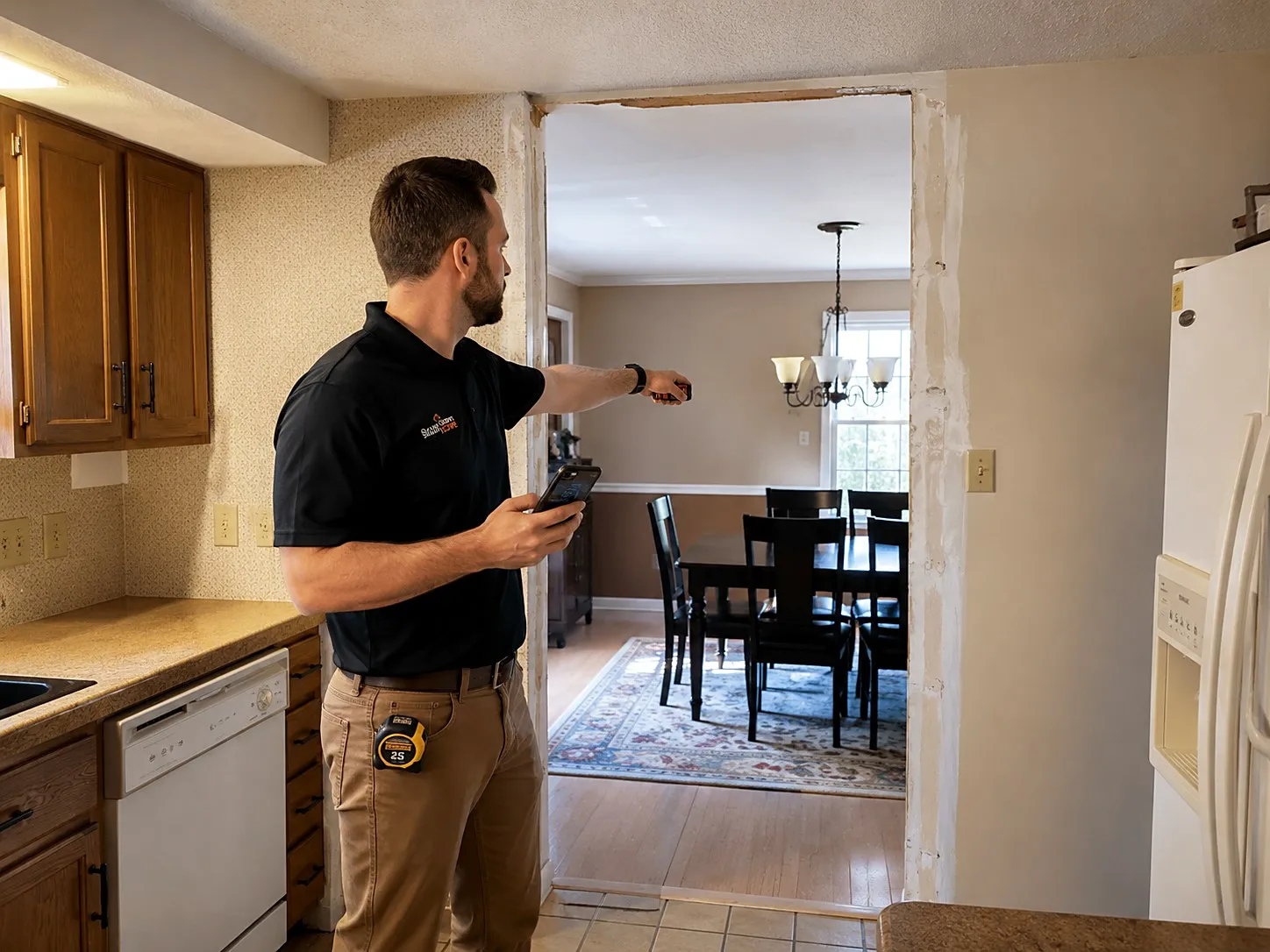
Kitchen wall removal and refresh
“Open this wall to the dining room — likely load-bearing — new island with seating for four, quartz tops, cabinet doors refaced.”
A scope with an engineering allowance for the beam, the island build itemized, and counters offered in two quartz tiers.
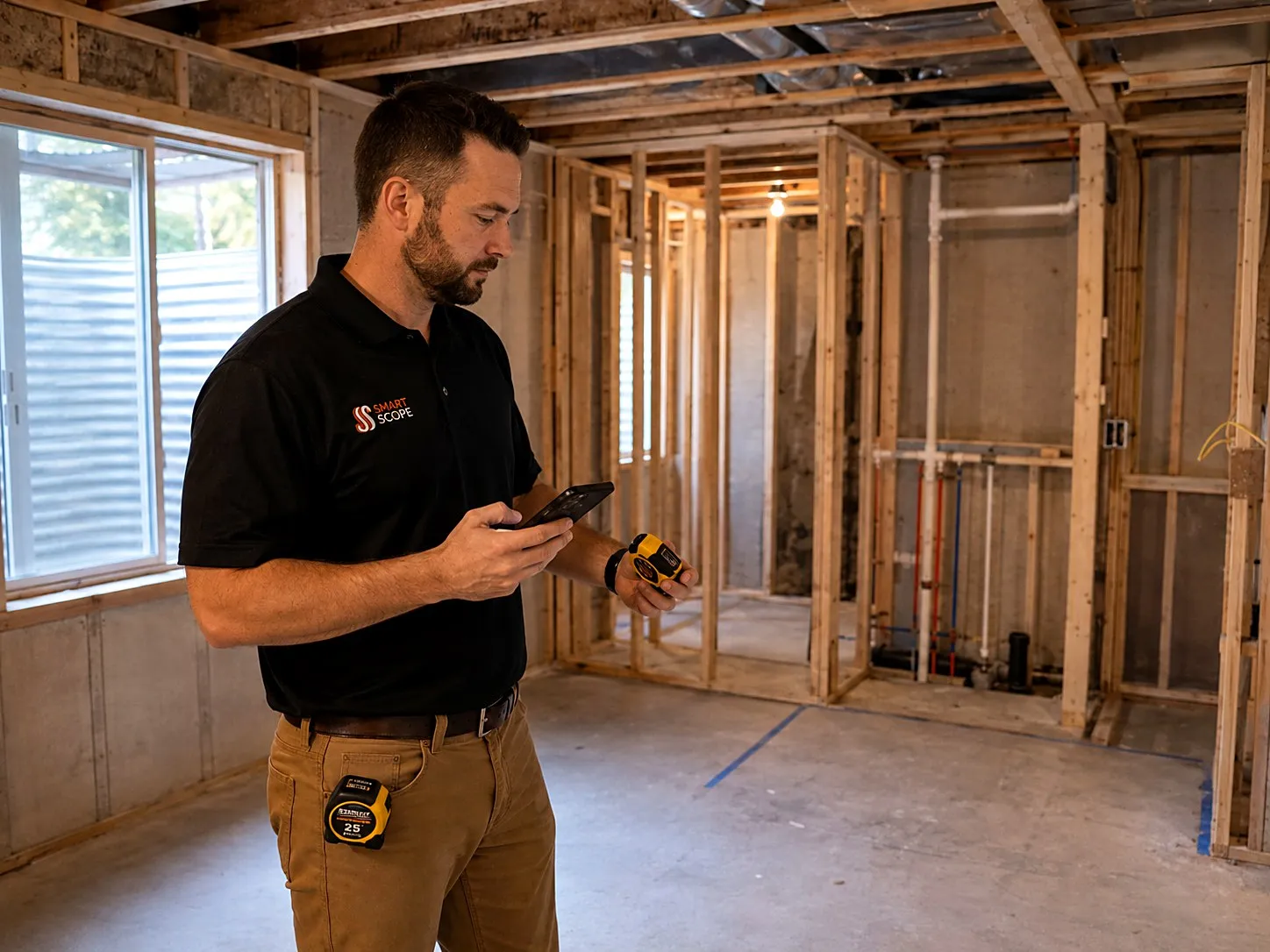
Basement to guest suite
“Frame out a bedroom and full bath, egress window, LVP throughout, and a wet bar rough-in for phase two.”
A two-phase proposal — suite now, wet bar later — with the egress cut priced as its own line and finishes tiered.
How a project moves with Smart Scope
The walkthrough
The first visit ends with a structured scope instead of a legal pad — every angle photographed, every idea captured as a draft line item.
Design and selections
Finish decisions become named allowances and good-better-best tiers, so champagne-taste conversations turn into priced choices, not surprises.
The build
Change orders stop leaking money. The client asks for a pot filler mid-rough-in; it's photographed, priced, approved, and added to the payment schedule.
The reveal
Final payment collects in the app at the walkthrough, and the job closes with real margin data feeding your next proposal.
Get comfortable before you scope a real remodel.
Explore 100 sample remodels — kitchen guts, hall bath retiles, basement finishes, load-bearing wall removals, and primary suite additions. Each scope has tagged line items, a full activity trail, scope-of-work notes, and a financial breakdown with margin on jobs that run five and six figures. Practice on those before a real $46,000 kitchen is on the line — samples can't touch real work.
Capture the design walkthrough as it happens
Site Walk
Rooms scanned, ideas narrated
Walk the house with the homeowner, narrating ideas as you snap photos and run LiDAR room scans — AR tape catches the dimensions. It all lands on a timestamped timeline, and the AI suggests priced line items after.
See Site Walk →
EyesOn
Your designer sees the space live
Stream the walkthrough over live two-way video — hands-free with Meta Glasses — while your designer follows on Command OPS and weighs in on layout before you leave the driveway. The visit records to the job.
See EyesOn →
Remodeler questions, answered
How does Smart Scope handle allowances and finish selections?
Allowances get their own named lines — tile, fixtures, appliances — with the budget figure visible, and selections can be offered as good-better-best tiers. Clients see exactly where their choices move the number.
Can I structure payments around a phased schedule?
Yes. Set a deposit at signing and progress payments tied to phases like demo, rough-in, and finish. Clients pay each one digitally in the app as the project moves.
Will proposals look like they came from my firm?
They carry your branding, your language, and your structure — a polished document you'd be proud to set next to a design board, not a generic estimate printout.
What does Smart Scope cost?
One subscription with everything included. See current plans on the pricing section of our home page, or download the app and take a look for yourself.
Does it work where there's no signal?
Capture doesn't need one. Site Walk notes, photos, form filling, and nameplate scanning all work offline — basements, crawlspaces, and dead zones included — and sync when you're back in coverage. AI drafting runs when you have a connection, so walk the job dark and let the estimate build on the drive out.
Is there an Android version?
Smart Scope runs on iPhone and iPad today; Android is on the roadmap. Your customers don't need the app at all — estimates, forms, and the portal open as web links on any device.
Does it replace my dispatch or routing software?
No — and it doesn't try. Smart Scope is the estimating layer: it wins the job, then syncs the scope straight to Smart Service, with webhooks to push your data anywhere else. Your dispatch board and routing stack stay right where they are.
Can my crew use it too?
It's built for the person doing the estimating, but it doesn't stop there — dispatch scopes to other users, put EyesOn live video in every tech's hand, and let the office follow along on Command OPS.
What does it cost to try?
Nothing — 45 days, full app, no credit card. When the trial ends you're never auto-charged; the app goes view-only until you decide, and your data stays yours to export.
Can it handle contracts and change orders?
Proposals are signed on the customer's phone, deposits collect through milestone schedules, and scope changes become new signed line items — a paper trail without the paper.
Turn the walkthrough into a commitment
Download Smart Scope on the App Store or text SCOPE to 59232 — and send a proposal worthy of the reveal.