See the job through your tech's eyes.
One tap in Smart Scope and the visit goes live. The office sees what the tech sees. Two-way audio, hands free, while the whole visit records itself onto the job. This is a real EyesOn visit at 495 Metro Place South in Dublin, Ohio: live in one tap, on the record in sixteen minutes.
✓ Free 45-day trial
✓ No credit card required
✓ Works hands-free with Meta Glasses
1 tap
From site walk to live
2-way
See it, hear it, talk back
There's a master in your shop who can't climb the ladder anymore.
For forty years he could walk into a mechanical room, stand still for a second, and hear what was wrong before he touched a thing. His hands know things that live in no manual, no spec sheet, no training video.
And his knees are telling him it's over.
When he goes, forty years of hard-won knowledge walks out the door with him — while the apprentice you hired last month stands in front of a panel he's never seen, alone, with a customer watching and nobody to ask.
Put the glasses on that apprentice and the master climbs the ladder through his eyes — from the office, the truck, or his own kitchen table. He sees exactly what the young tech sees. And he says the four words that change everything:
“Stop. We've got this.”
That's what EyesOn really is. Not a camera — a way to stand beside your people. The best tech you ever had, on every job, in every truck. Wisdom that took forty years to earn, handed to someone in their first forty days.
One visit · 2:40 PM to 2:56 PM
The office was already watching before he opened the panel.
Every screen below is from one real EyesOn visit at 495 Metro Place South in Dublin, Ohio — timestamped, GPS-stamped, and streamed to the office while it happened. Watch a rooftop unit turn into a live feed, a set of scored readings, and a permanent record filed to the job, without anyone typing a word.
The office is on the roof before you are.
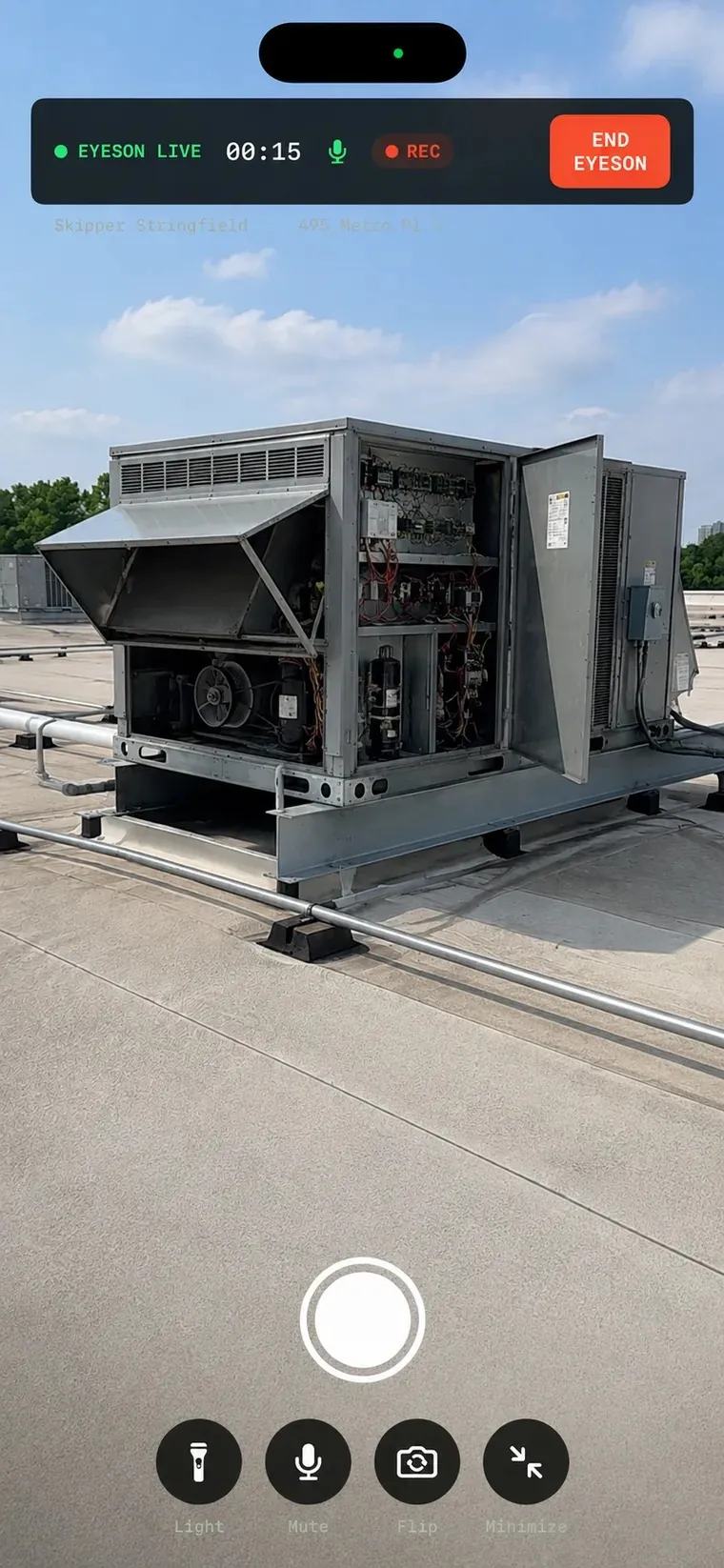
Open the site walk, tap EyesOn, and the visit is live. No meeting link, no server address, no code to type. The strip across the top is everything the tech has to think about: a green dot, a running timer, and one button to end it. The rest happens back at the office.
One tap · no links, no codes
1
Step 02 · Both handsstay on the work
Nobody has to hold the phone.
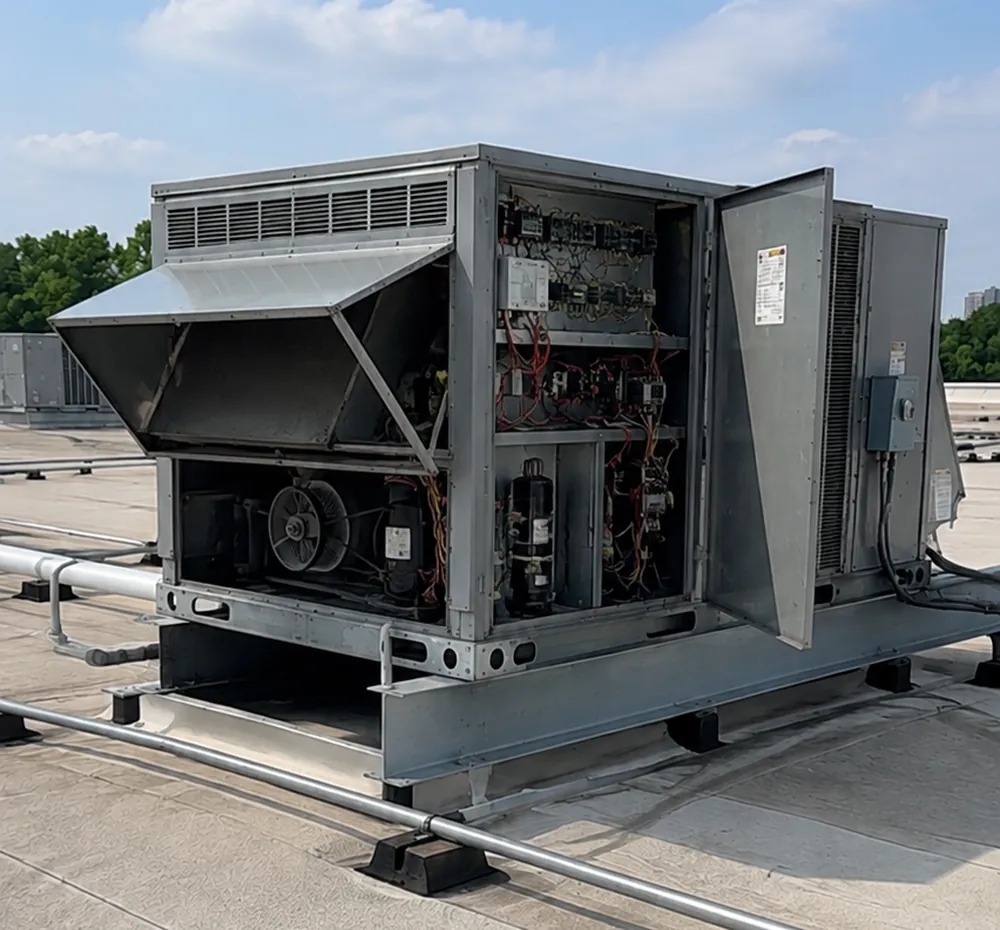
EyesOn runs hands-free with Meta Glasses, so the picture comes straight from your tech's point of view while both hands stay on the work. Crawling an attic, testing a live panel, holding a fixture in place — nothing has to be propped against a condenser. If the glasses drop off, EyesOn falls back to the phone camera without ending the visit.
Hands-free · falls back to the phone
2
Command OPS · the office side The whole fleet on one screen.
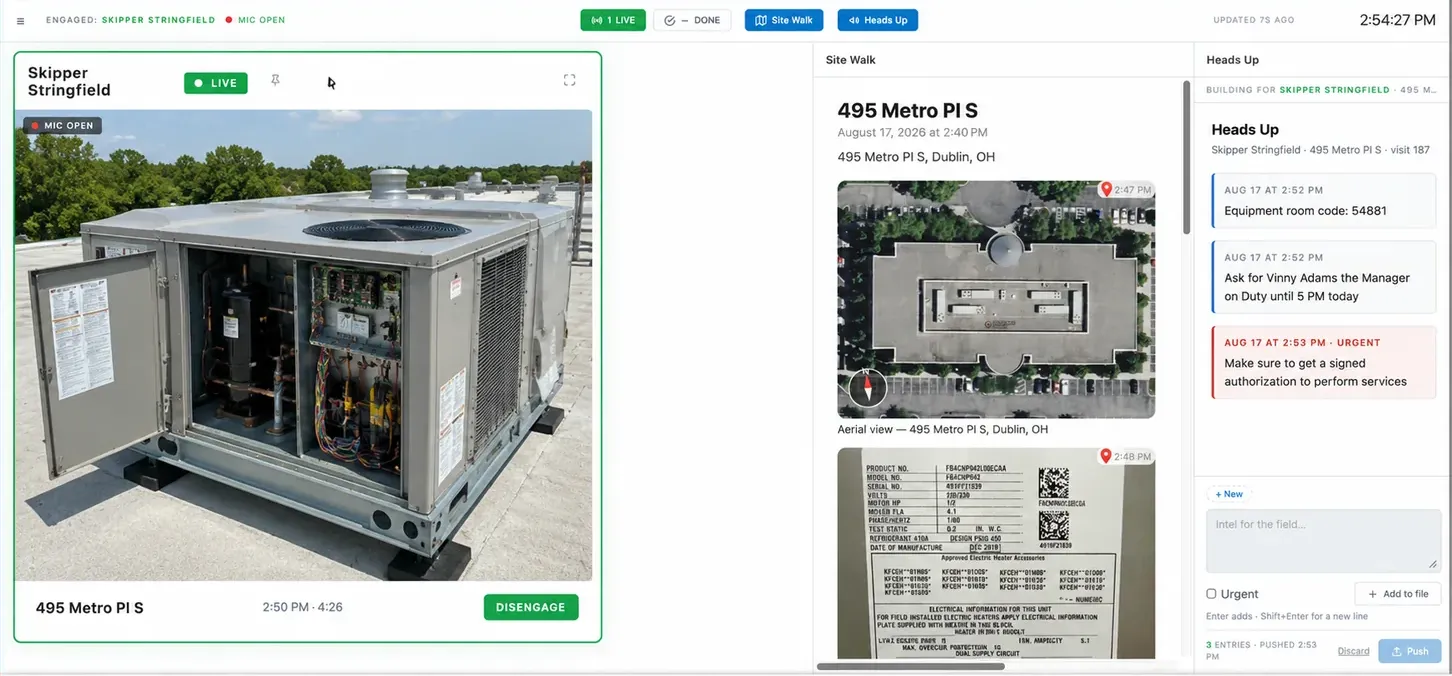
Command OPS lives in Smart Service, the office side of the platform. Every live visit shows up as a card on the wall. Click one to engage — see it, hear it, talk back — while the rest keep streaming. The site walk builds itself alongside the video: aerial view, nameplate photos, gauge readings, and notes, all stacking up in the office as they happen.
Engaged with a live visit at 495 Metro Pl S · mic open · 4:26 in
Heartbeat
Know a visit is healthy
A fresh preview snapshot and a status stamp every few seconds, so the office knows the feed is alive without calling the tech to ask.
Heads Up
Push intel to the field
Gate code, who to ask for, get the authorization signed before you touch anything. Mark it urgent and it lands in red on the tech's phone.
On File
Tied to the appointment
Tech, address, job, timestamps, and the full recording — filed to the customer, not to somebody's camera roll.
One photo. Twenty-one data points.
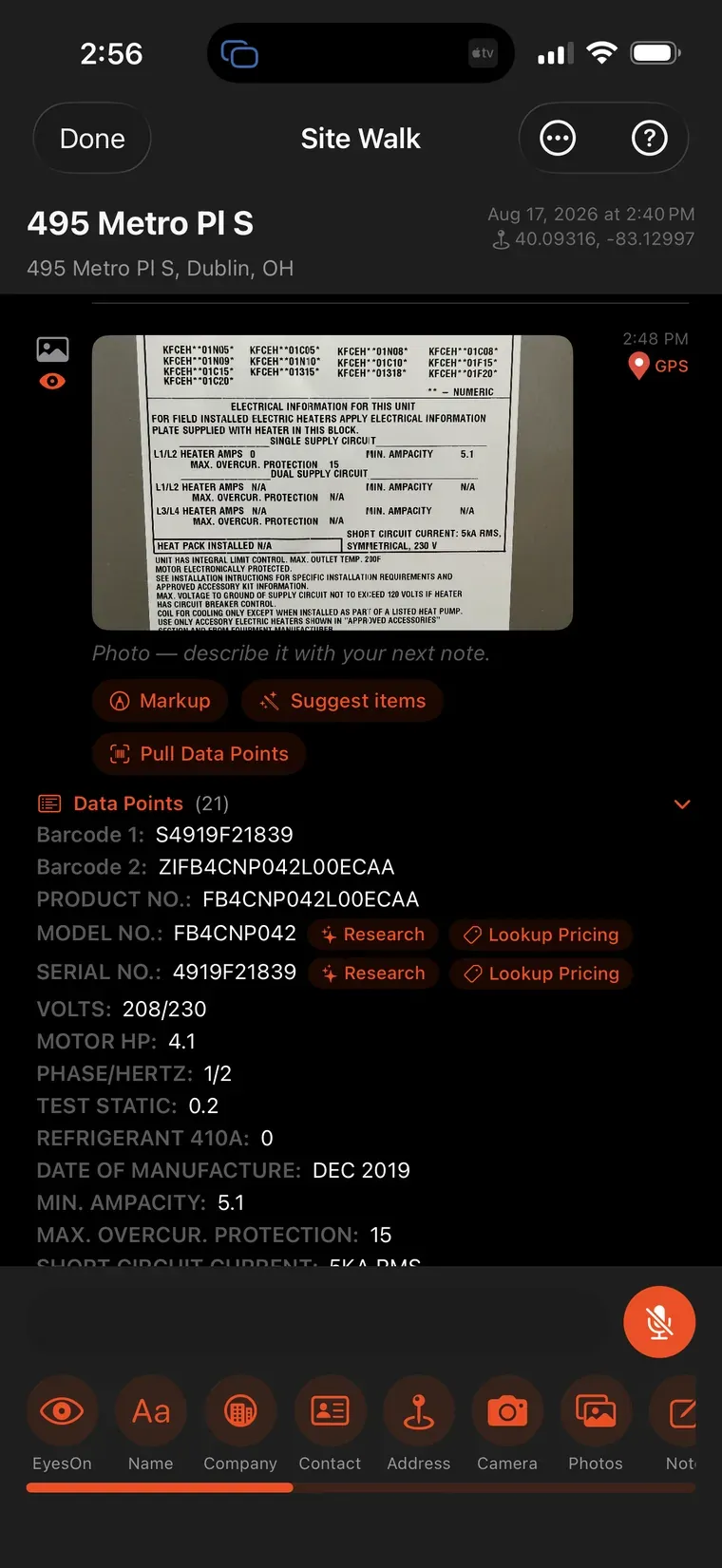
While the office watches, the tech snaps the data plate. Model, serial, volts, motor HP, refrigerant, date of manufacture — twenty-one fields pulled off the sticker and labeled, with Research and Lookup Pricing sitting right next to the model number. Nobody transcribes it onto a clipboard and nobody has to read it back over the phone.
21 fields · zero typing
3
Step 04 · No he said, she said
Readings scored in range or out, in front of the customer.
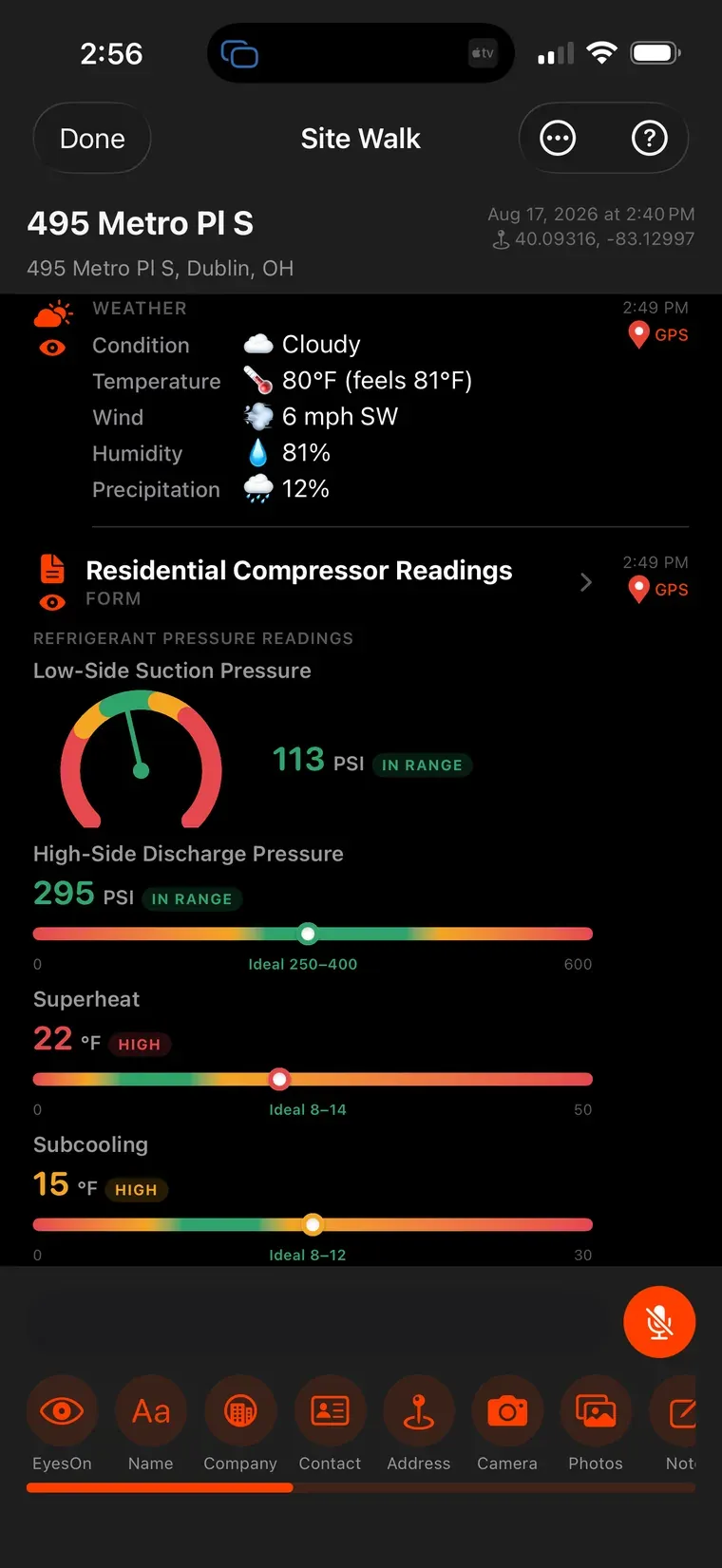
Suction and discharge pressures, superheat, subcooling — each one scored against the target range the moment it's entered, with the weather captured alongside it. The office sees the same numbers at the same second. When the callback comes six months from now, the video, the readings, the photos, and the timestamps are all still sitting on the job.
Recorded automatically · filed to the job
4
What it changes on Monday Your best expert, on every job.
Fewer truck rolls
Coach, don't dispatch
Walk a junior tech through the diagnosis instead of sending a senior one across town to look at it for ten minutes.
Faster ramp
Ride-alongs from a chair
A year of shadowing happens from the office. New hires learn on real calls with a master in their ear instead of a manual in their hand.
Documentation
Proof that backs you up
Before and after, on video, with timestamps and GPS — for warranty claims, callbacks, and every conversation that starts with “that's not what your guy said.”
A second set of eyes
Nobody works alone
Someone in the office is watching when a tech is in a crawlspace, on a roof, or standing in front of an open panel by himself.
Zero-friction IT
Nothing new to babysit
EyesOn runs inside Smart Scope on the phones your techs already carry. Push the setup to every device through MDM — nobody types a server address or a key.
Customer-facing
Transparency closes jobs
When two bids match, the contractor who streamed the work and documented it tends to get the handshake.
The questions owners actually ask.
Is this a way to spy on my techs?
No, and if you sell it that way it will fail. EyesOn goes live when the tech taps it, and the point is backup — a senior voice in his ear when he's in over his head. Shops that roll it out as mentorship get adoption. Shops that roll it out as surveillance get techs who leave the phone in the truck.
What happens when there's no signal in the basement?
The stream drops and the visit keeps going. Photos, readings, and notes still capture on the device and sync when the phone gets back to coverage. If the glasses lose connection, EyesOn switches to the phone camera without restarting the visit.
Do we have to buy Meta Glasses?
No. EyesOn works with the phone camera out of the box. The glasses are the upgrade — they free up both hands, and that's where most of the value shows up on real service work.
Do we need to tell the customer we're recording?
Tell them. It's good manners, and for audio a number of states require everyone on the call to consent. Train the crew to say it at the door — “I've got my office on a live feed so we get this right the first time” — and most customers hear it as a selling point. Check your own state's rules with your attorney before you roll it out.
Where do the recordings live, and who can see them?
Every session is stored with your own company's job records and tied to the job, the tech, and the appointment. Your people see your visits. Nobody else does.
How long does rollout take?
If your techs already run Smart Scope, it's a settings toggle and a short conversation with the crew. Larger fleets push the configuration through MDM so devices arrive ready.
This is hope for the trades. The master in every truck.
EyesOn · Smart Scope
Put us on your next job.
Download Smart Scope, start a site walk, and tap EyesOn. Fifteen minutes from now your office can be watching a real visit land in Command OPS — the video, the readings, the photos, the record — while it's still happening. Free for 45 days.
✓ Free 45-day trial
✓ No credit card required