
Walk the job. Talk the job. The estimate
writes itself with
Smart Scope.
The estimate that took 45 minutes at the kitchen table is done on the drive home. Scope jobs, build line-item estimates, track profitability, and get paid — all from your phone.
17+
Activity types tracked
8
PDF accent color presets
30
AI-generated price book items
45
Days free — the whole enchilada

Building software for the trades since 1992.
Long before apps were a thing, I was building tools for contractors — and the same person kept getting skipped every time: the owner-operator. Too big for a notepad, too small for the enterprise platforms, and every tool he touched was built for an office he doesn't have.
Smart Scope is for him. One app, on his phone, with his price book and his margins. Real company, real address — 495 Metro Place South, Dublin, Ohio — and when you email, a real person answers.
From voice to paid invoice in minutes.
No spreadsheets, no guesswork, no double entry — here’s one job, on the clock.
Speak it. Scope it. Send it.
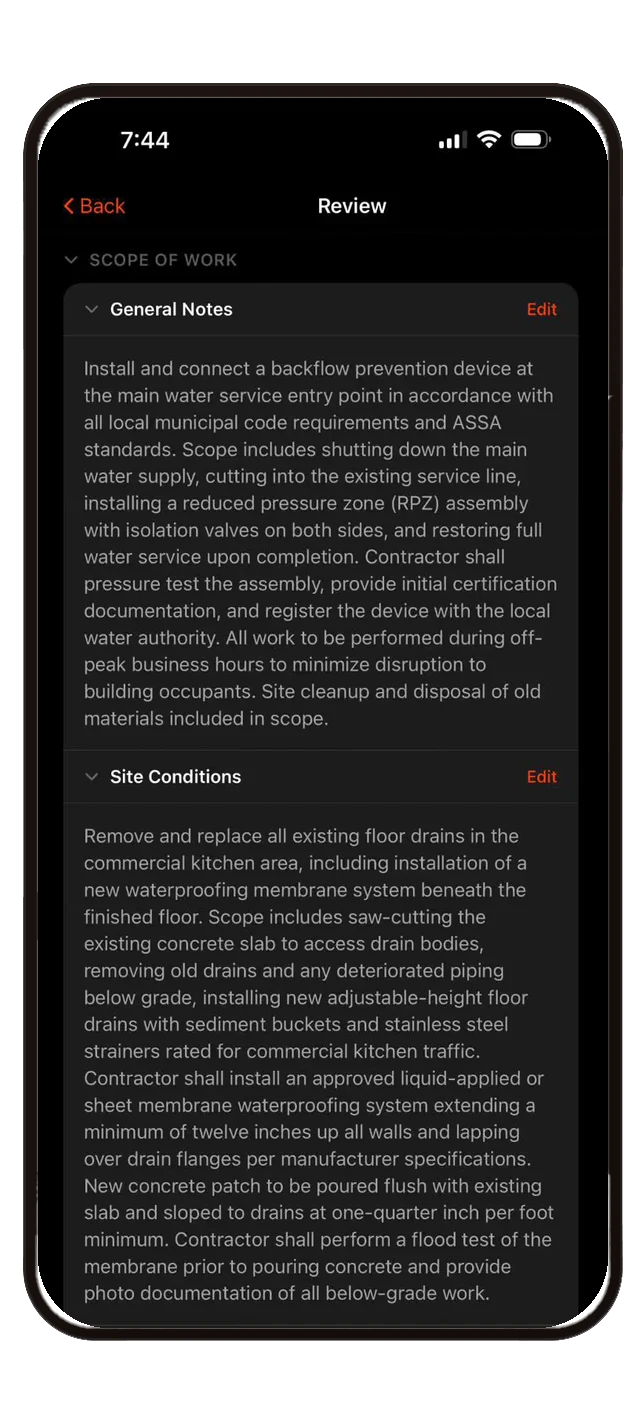
Just describe the job with your voice. Claude AI extracts customer details, builds a detailed scope of work, and generates line items from your price book — instantly.

Voice-to-Scope
Talk naturally about the job. AI turns your words into a structured scope with line items and pricing.
Smart Scope Notes
AI generates detailed scope-of-work descriptions your customers can actually understand.

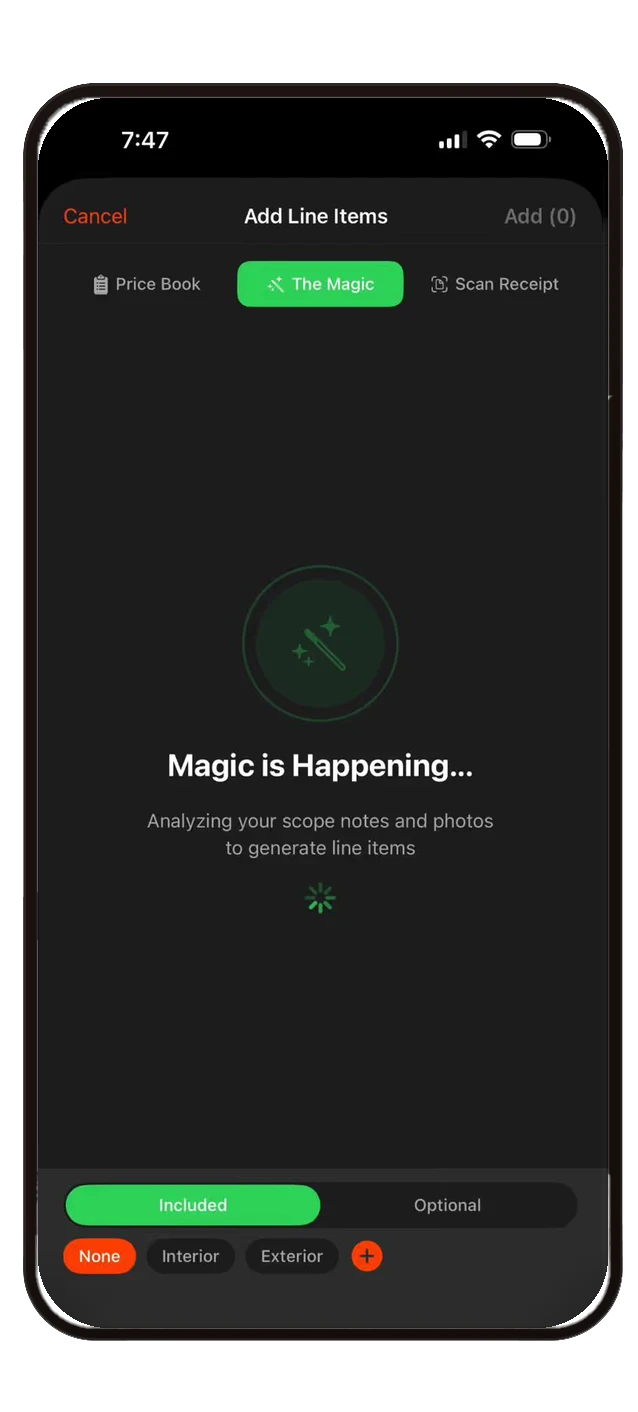
AI Line Item Generation
AI analyzes your scope notes and photos, then generates matching line items from your price book in seconds.
Talk to your business. It talks back.
Ask what’s open, who owes you, and what Tuesday looks like — typed or completely hands-free — and Smart Scope answers from your real data. Then it acts: drafts the text, records the payment, opens the estimate. You approve everything.
Meet Data Chat →The tools nobody else ships.
Fillable PDF Forms
Upload any inspection report or compliance cert and AI maps its fields to your data. Techs answer a guided checklist — fully offline — and out comes a pixel-perfect, tamper-proof PDF attached to your customer-facing estimate.
Knowledge Base
Drop in manuals and spec sheets, then just ask — an error code, a model number, a wiring detail — and get a cited answer that jumps to the exact page. Runs privately on your device.
Recon daily brief
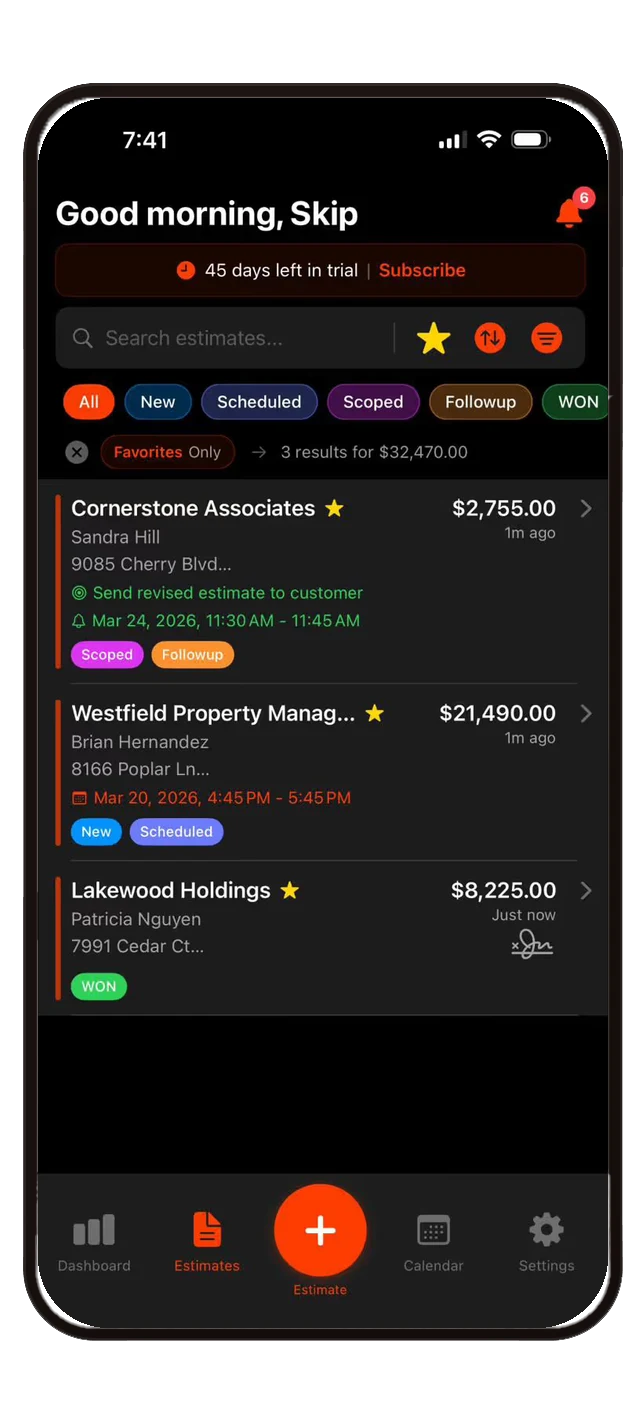
Every morning, an AI analyst scans your pipeline, ranks your hottest prospects, and flags overdue follow-ups — your day laid out before the coffee's done.
Know your margins before you start.
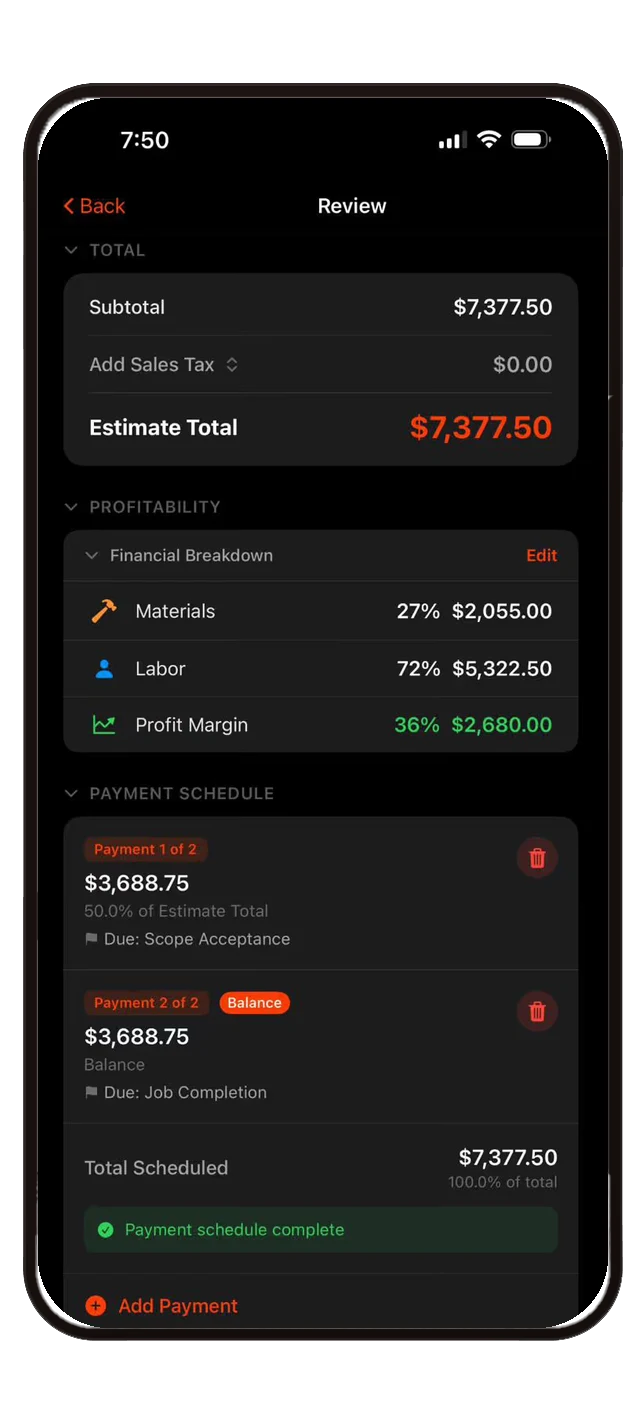
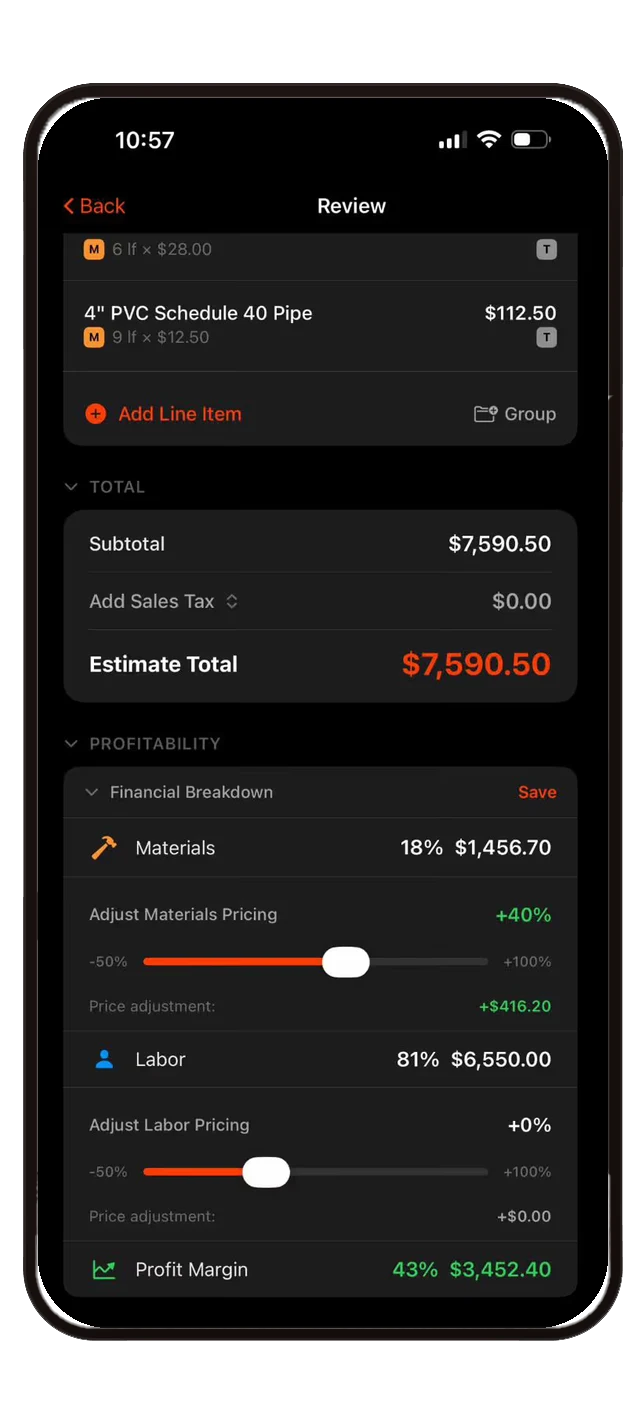
See materials vs. labor costs, profit margin, and total profitability for every estimate — before you send it. Adjust pricing on the fly with real-time sliders.

Real-time Profit Tracking
Materials vs. labor breakdown with live profit margin calculation per job.
Payment Schedules
Milestone-based payment schedules with deposit and balance tracking — scope acceptance to job completion.

Pricing Adjustments
Slide to adjust materials and labor pricing with percentage-based markups. See the impact instantly.
Complete scoping from one screen.
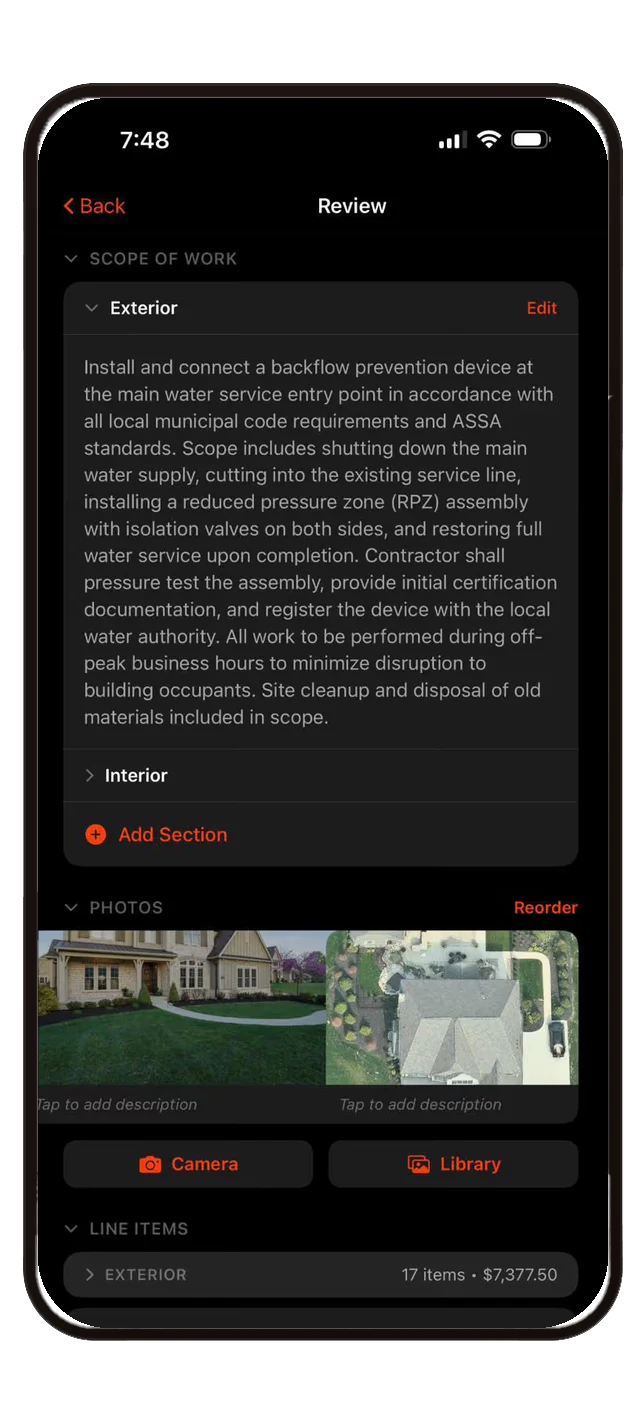
Scope notes, site conditions, photos, line items, payment schedules, and signatures — everything for a complete, professional scope of work.
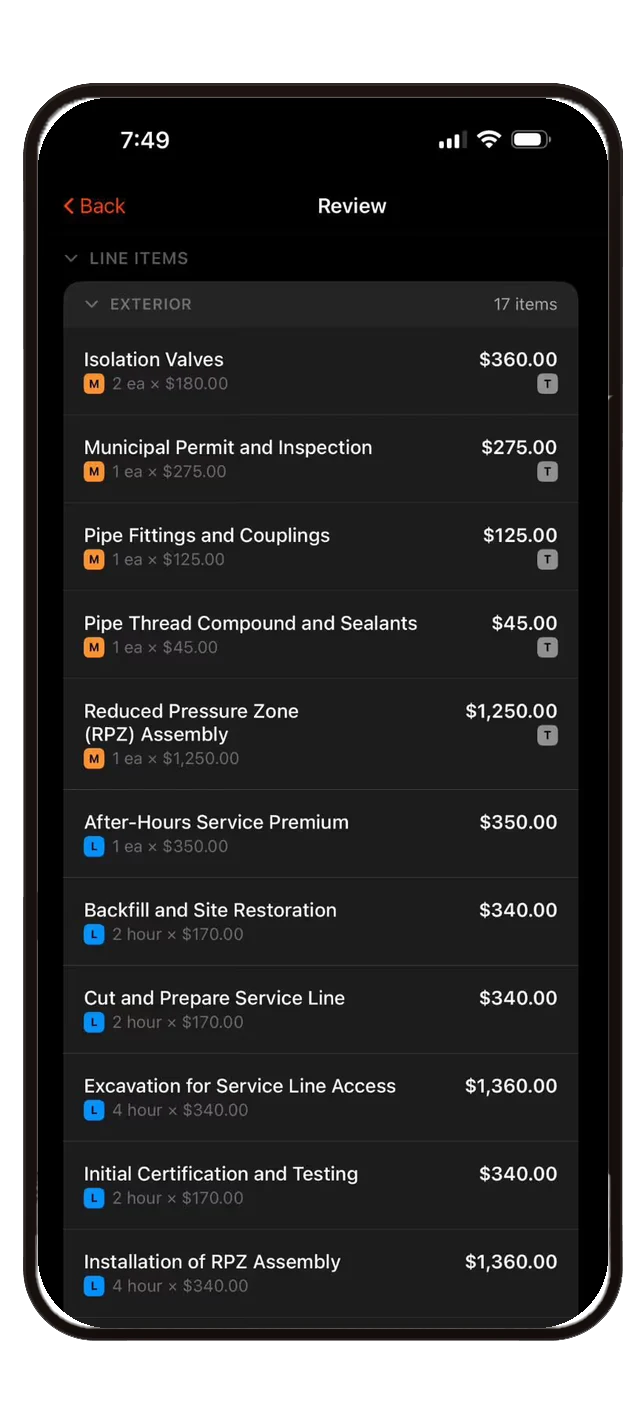
Grouped Line Items
Organize by Interior/Exterior, Good/Better/Best, or custom groups. Material and labor items with tax tracking.
Photo Documentation
Attach site photos directly to scopes with descriptions. Camera or library.

Digital Signatures
Capture customer signatures on-site. Timestamped and stored directly within the scope.
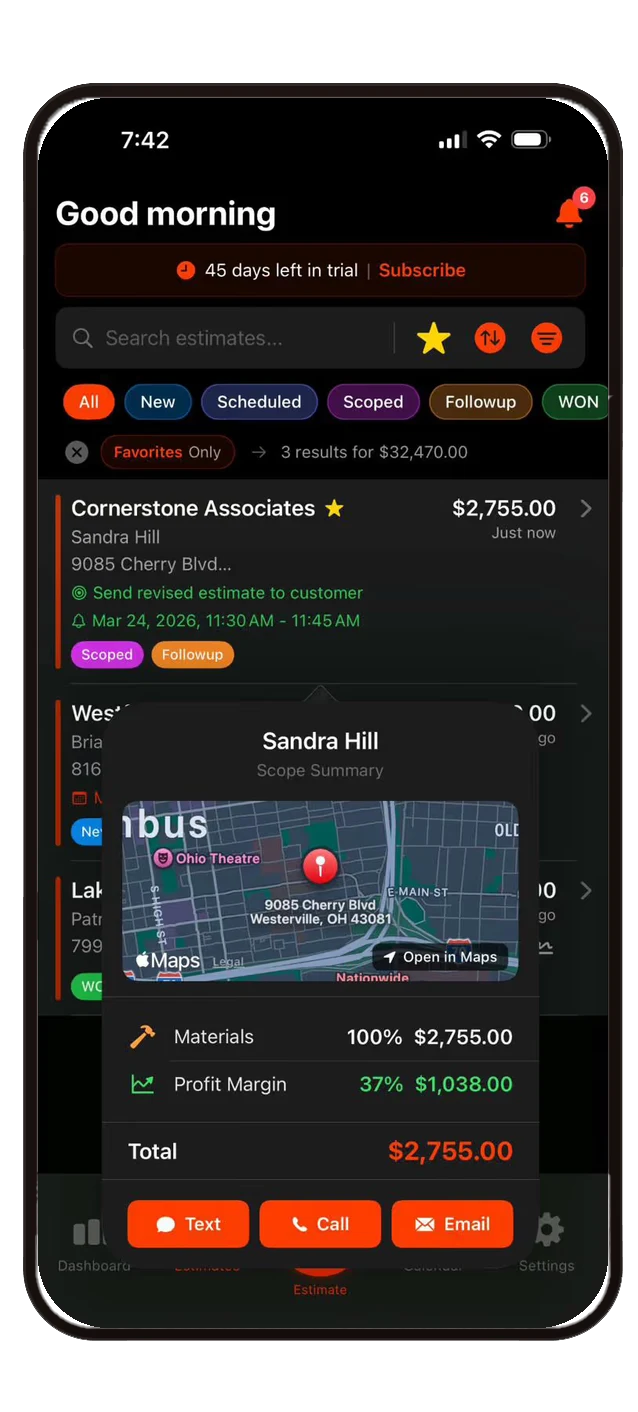
Every customer detail at a glance.
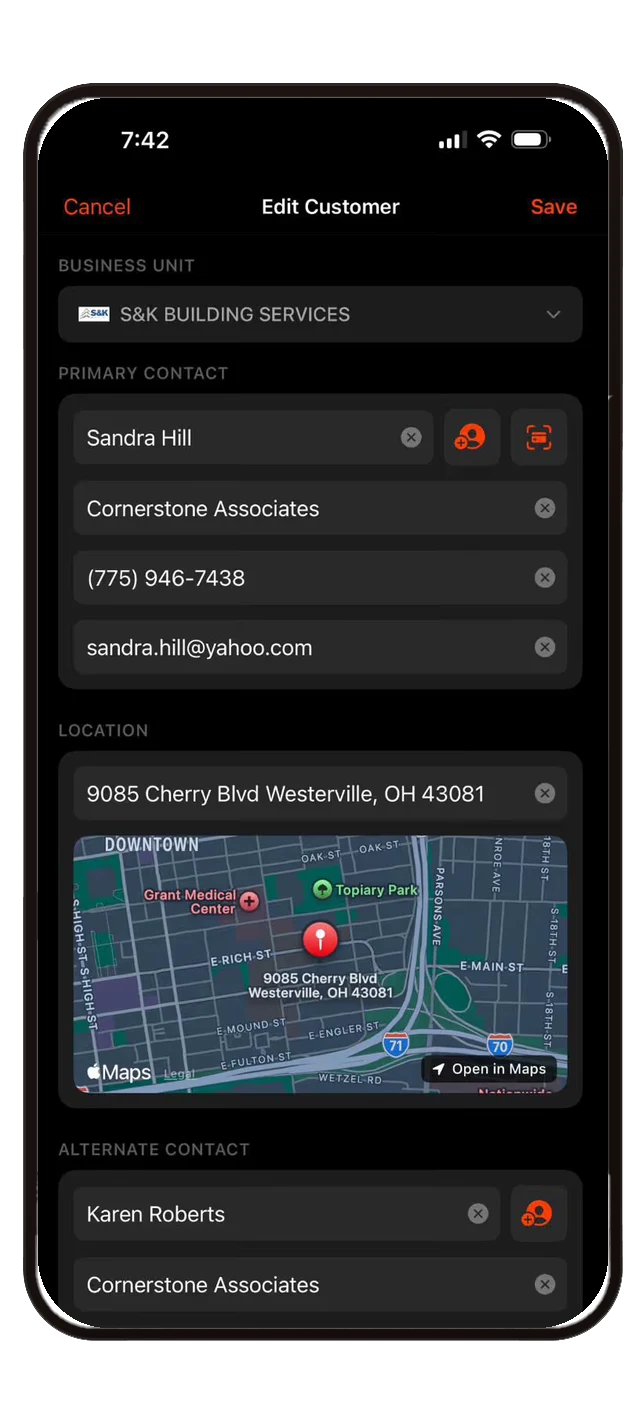
Primary and alternate contacts, company info, location with map integration, and scope summaries — all linked to each estimate. One tap to text, call, or email.

Contact Profiles
Primary and alternate contacts with name, company, phone, email, and import from device contacts.
Map Integration
See customer locations on Apple Maps with one-tap directions. Address auto-populated from scope data.
Multi-Business Units
Assign customers to different business units. Switch companies on the fly for multi-brand operations.
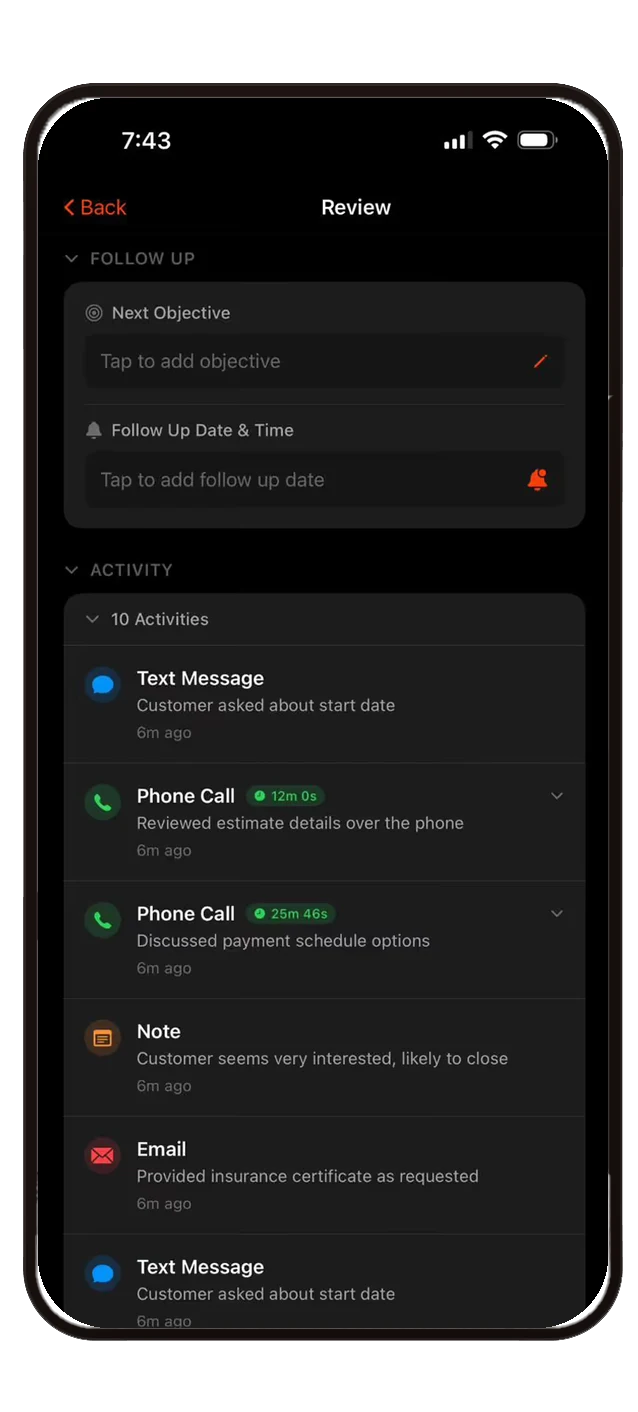
Full audit trail for every job.
Every text, call, email, note, and status change logged automatically with timestamps and durations. Follow-up objectives and reminders keep you on track.

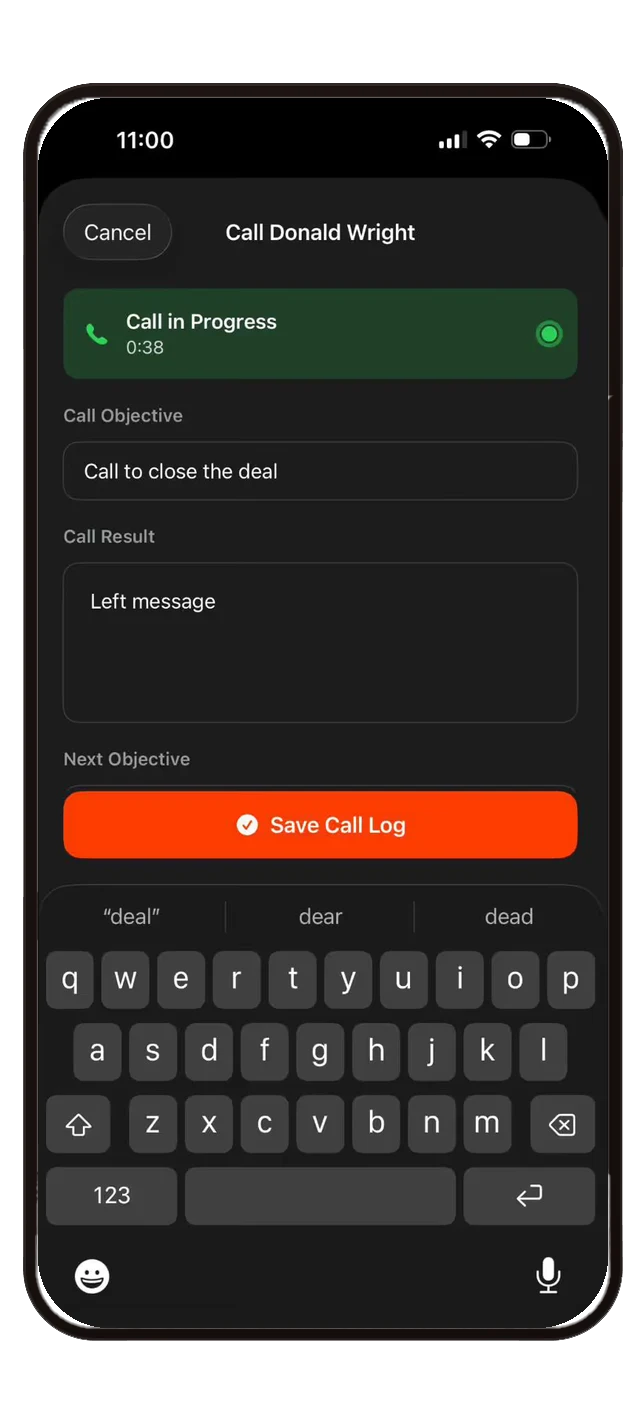
Call Timer & Logging
Make calls from within the app with a live timer, call objective, result notes, and auto-saved activity records.
Follow-up Reminders
Set next objectives with dates and times. Overdue follow-ups surface in your calendar and notifications.

17+ Activity Types
Phone calls, texts, emails, notes, status changes, portal visits, payments, signatures, and more — all tracked per scope.
Reach customers without leaving the app.
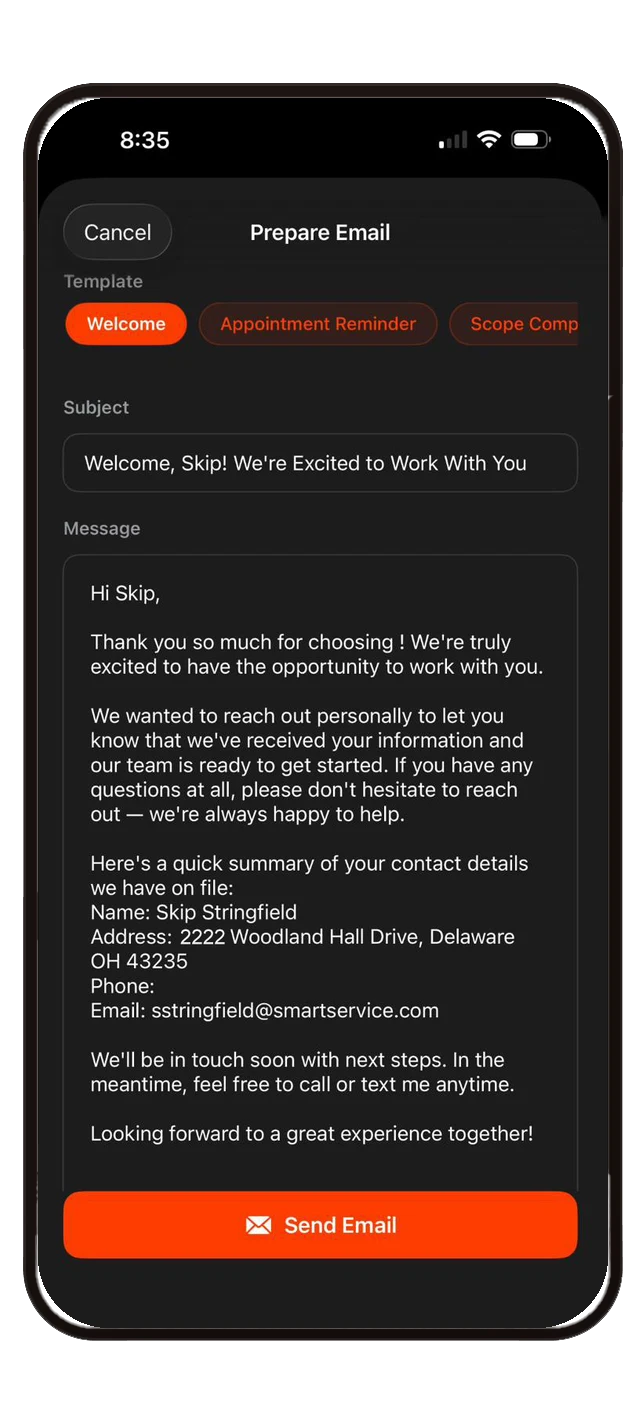
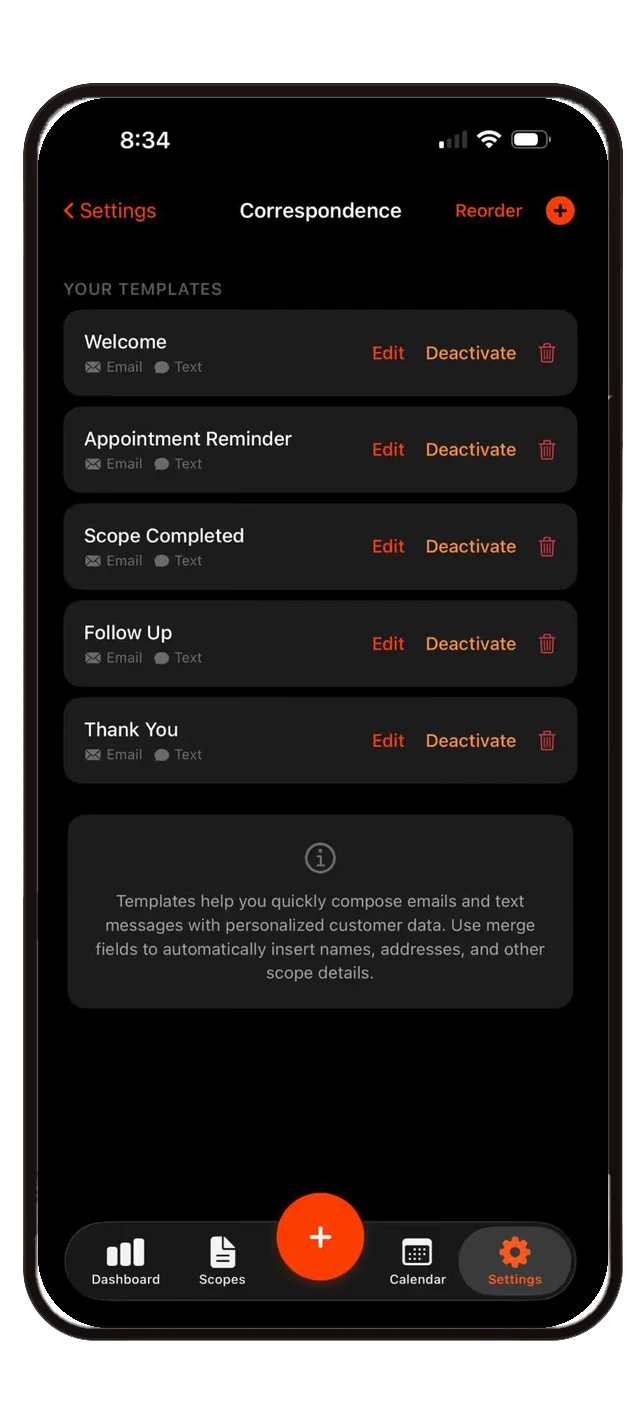
Pre-built email and text templates with merge fields for personalized outreach. Welcome, appointment reminder, scope completed, follow-up, and thank you templates ready to go.

Template Library
Create, edit, reorder, and activate/deactivate templates. Each template supports both email and text message formats.
Merge Fields
Auto-insert customer names, company, phone, email, address, and more. Primary and alternate contact fields available.
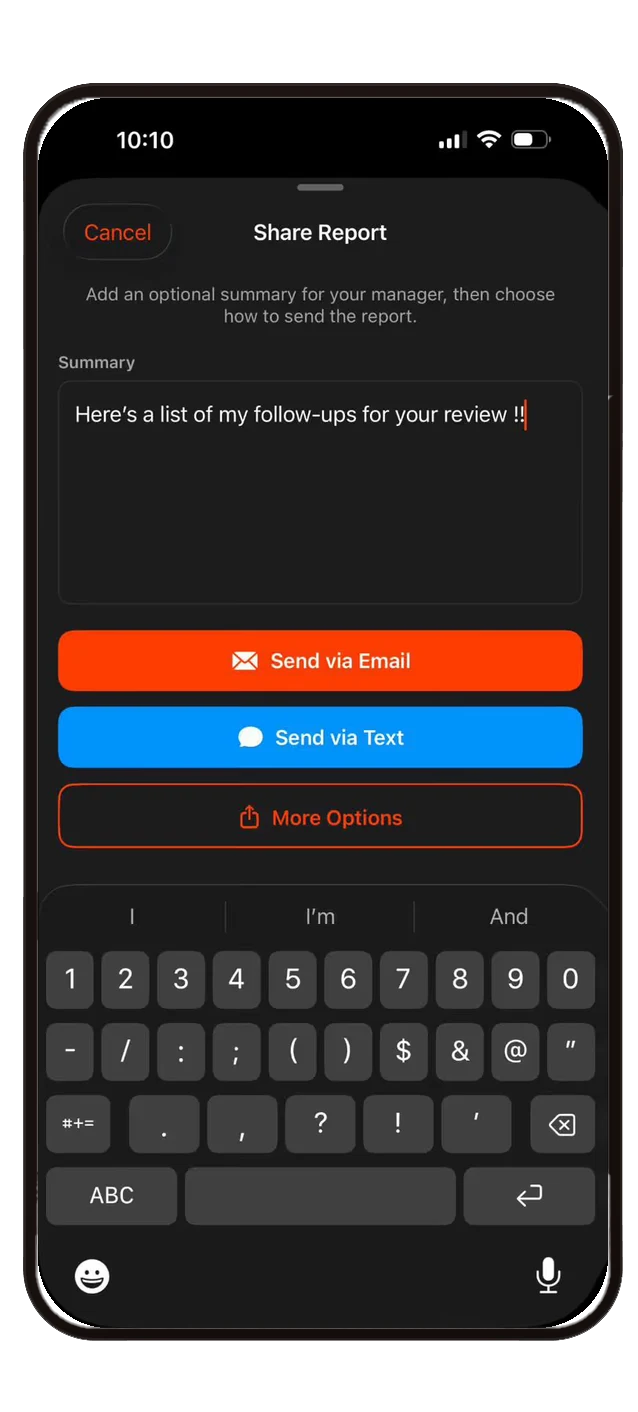
Share Reports
Export dashboard reports with filters, key metrics, pipeline data, and detailed estimate breakdowns. Share via email, text, or more.
Your schedule, your scopes, one view.
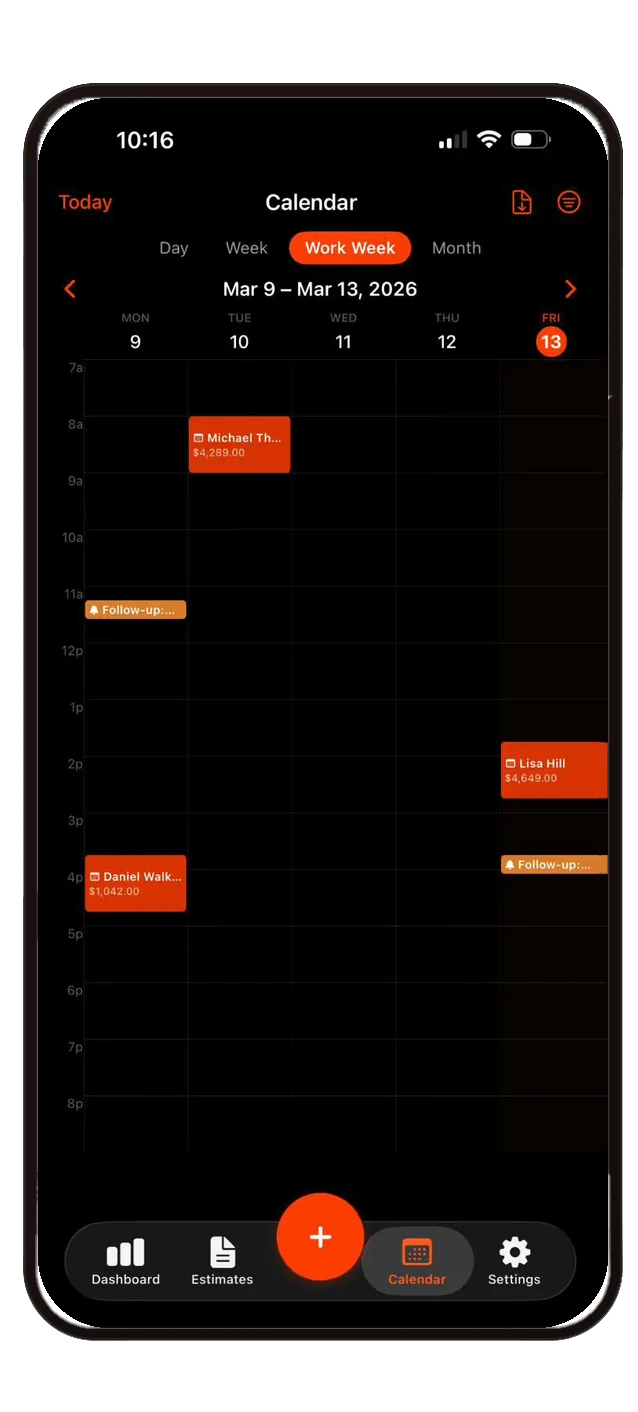
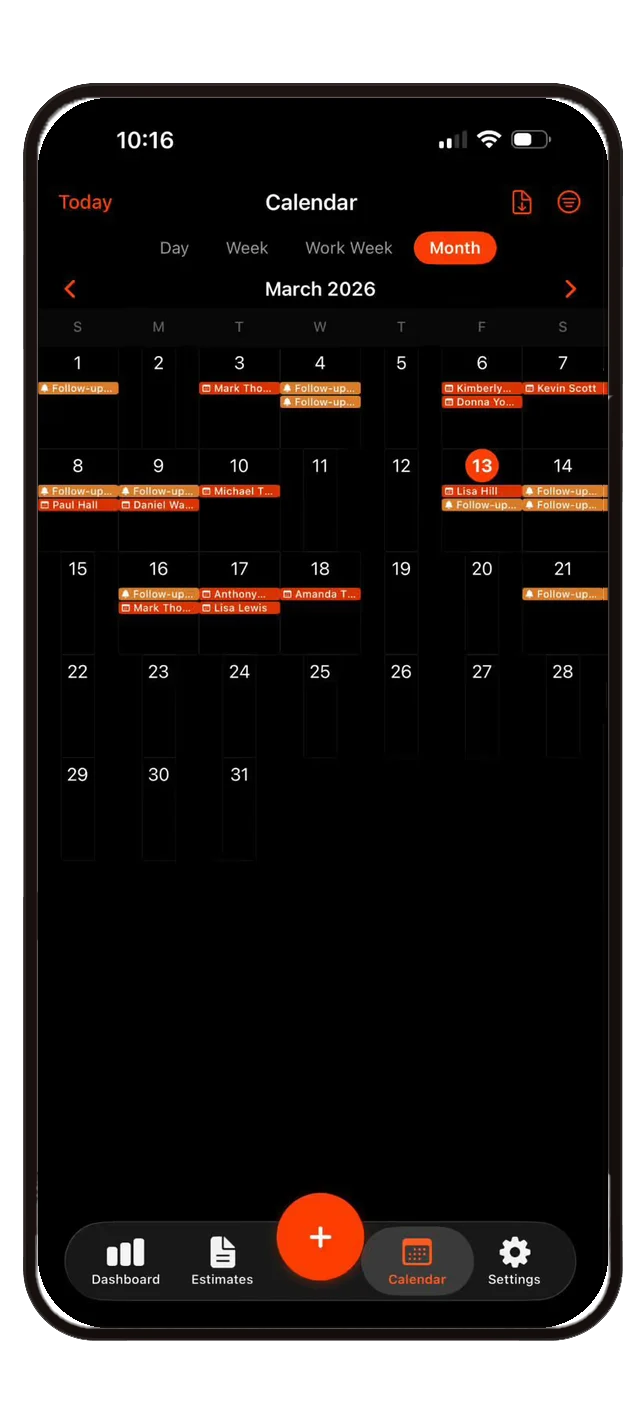
Day, week, work week, and month views with scheduled estimates and follow-up reminders. Customer names, amounts, and color-coded events at a glance. Syncs with your device calendars.

Four Calendar Views
Day, week, work week, and month. Toggle between them instantly to see your schedule your way.
Follow-up Alerts
Follow-up reminders appear as calendar events. Overdue alerts are highlighted so you never miss a deadline.
Calendar Sync
Connect iCloud, Google, or any device calendar. Filter which calendars to show — Smart Scope events, follow-ups, and personal events all in one place.
Know the moment a customer acts.
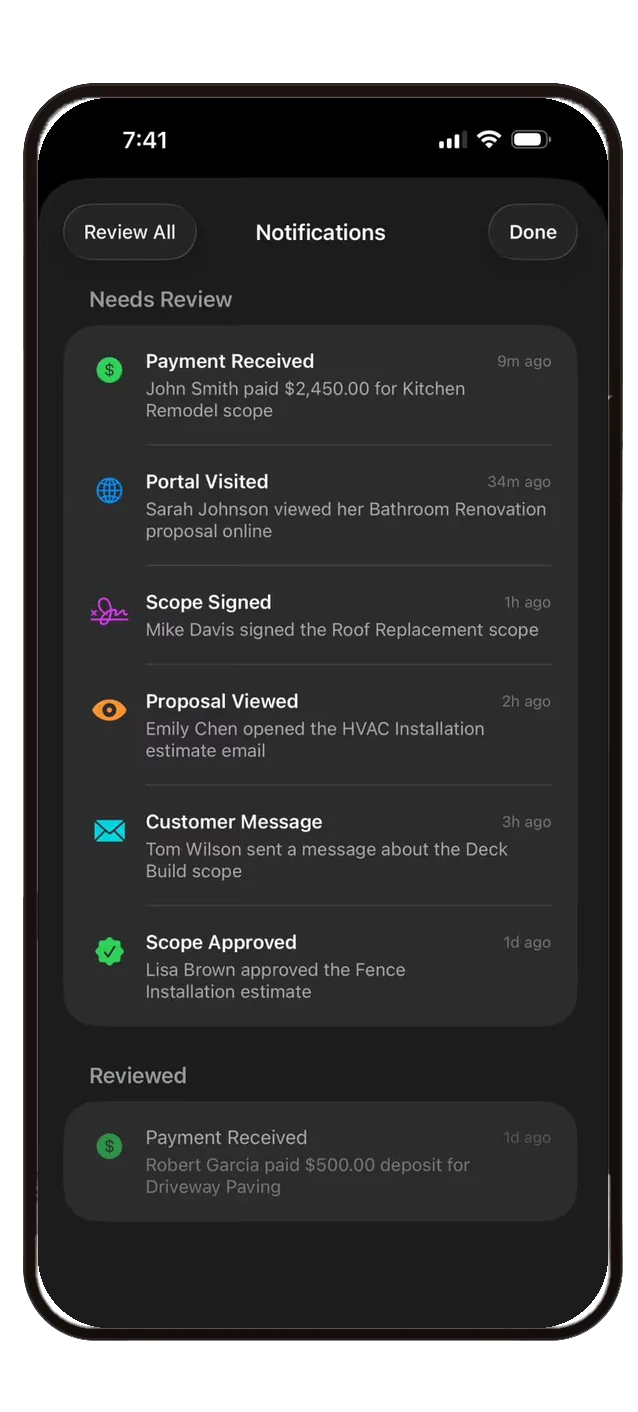
Real-time notifications when customers view proposals, visit portals, sign scopes, send messages, or make payments. Full visibility into your pipeline without chasing anyone.

Proposal Tracking
Know when a customer opens your email, views the proposal online, and how long they spend reviewing it.
Digital Acceptance
Customers can review, approve, and sign scopes directly from the online portal. No printing, scanning, or faxing.

Payment Notifications
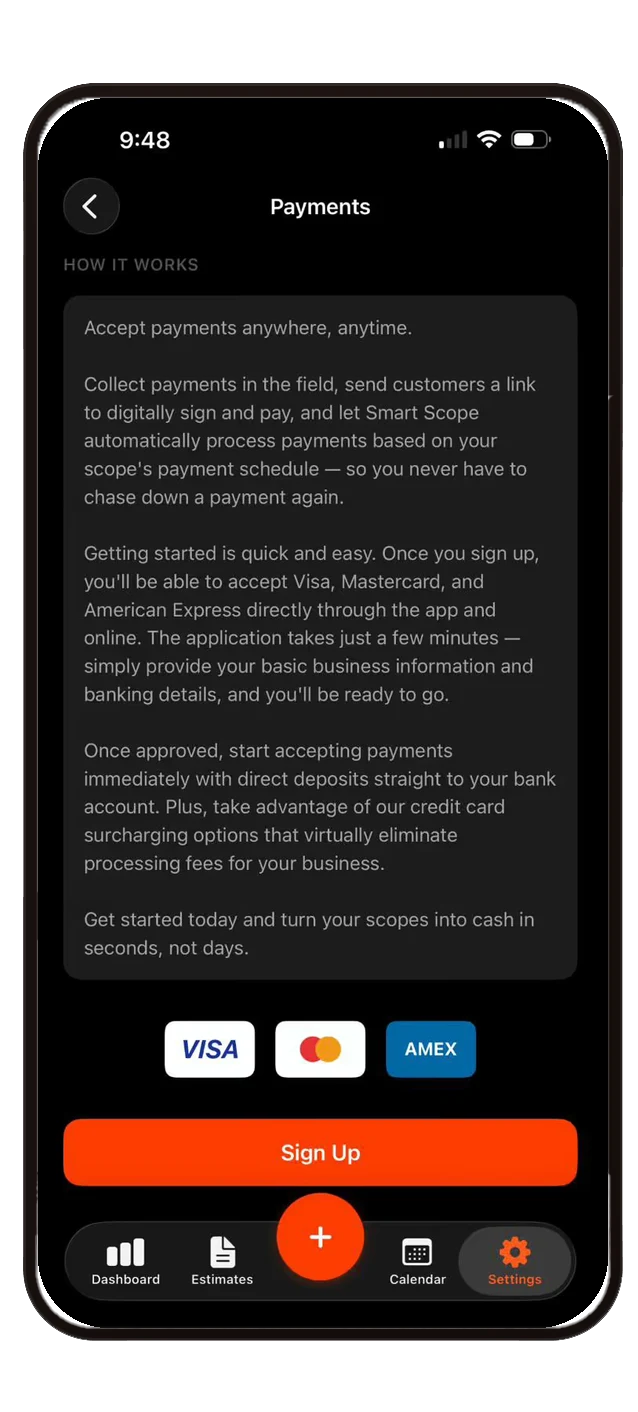
Instant alerts when payments are received. Accept Visa, Mastercard, and Amex with direct deposit to your bank account.
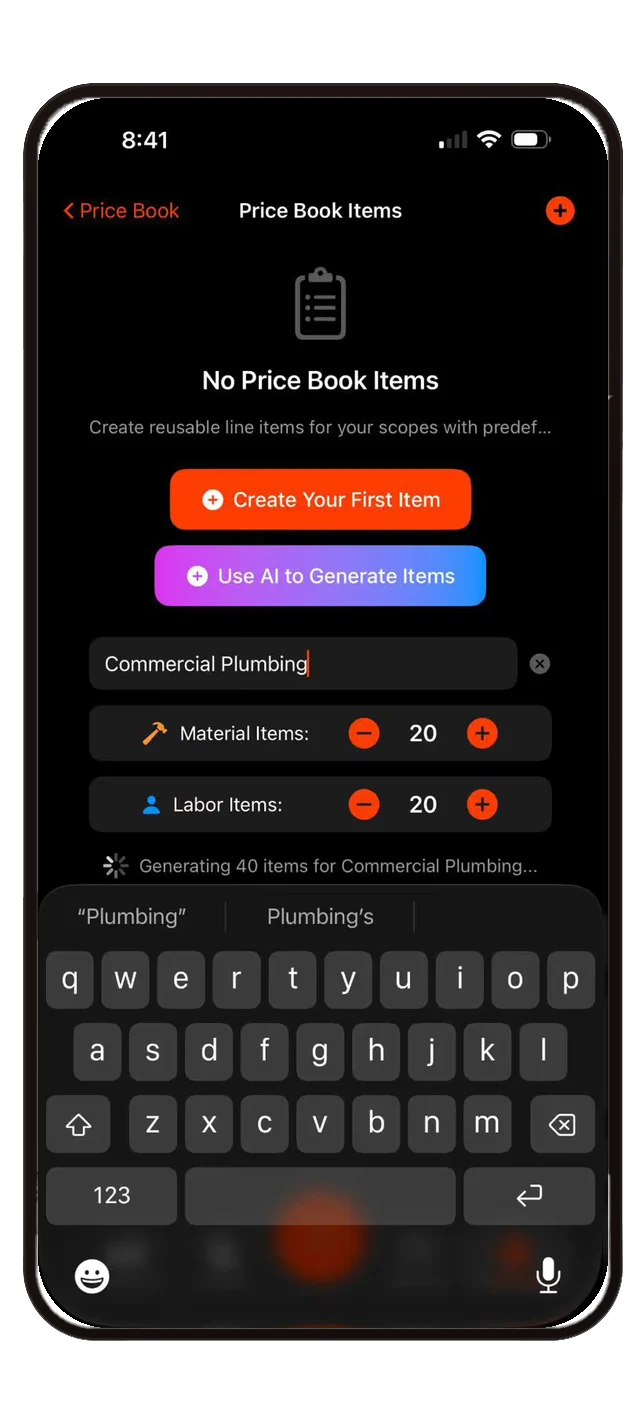
Your entire price book — built in seconds.
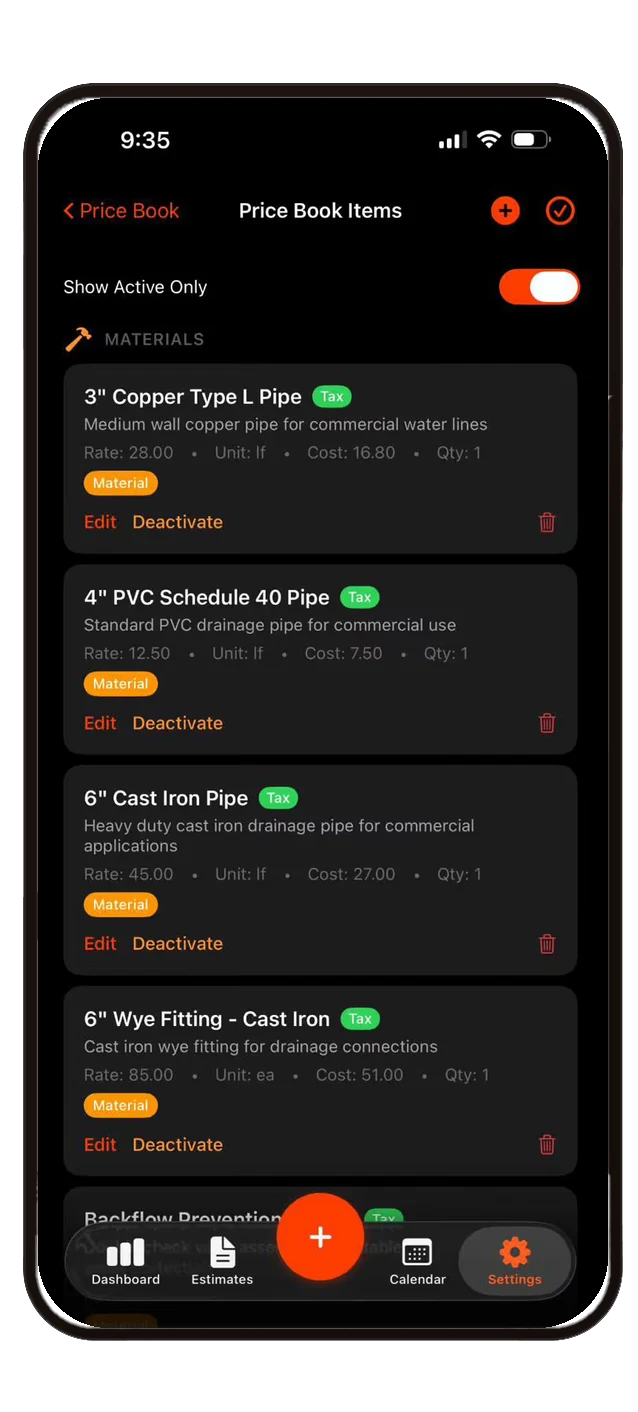
Enter your trade and let AI generate materials and labor items with rates, costs, and tags. Surcharges, discounts, percentage adjustments, and taxable item controls all built in.

AI Price Book Generator
Type your trade, choose material and labor counts. AI generates items with descriptions, rates, costs, and category tags.

Color-coded Tags
Material, Labor, Adjustment, Inspect, Install, Maintenance, Repair — organize and filter with custom tag colors.
Groups & Options
Good/Better/Best, 2-option plans, Interior/Exterior — present clear pricing tiers to your customers.
Make it yours. Every detail.
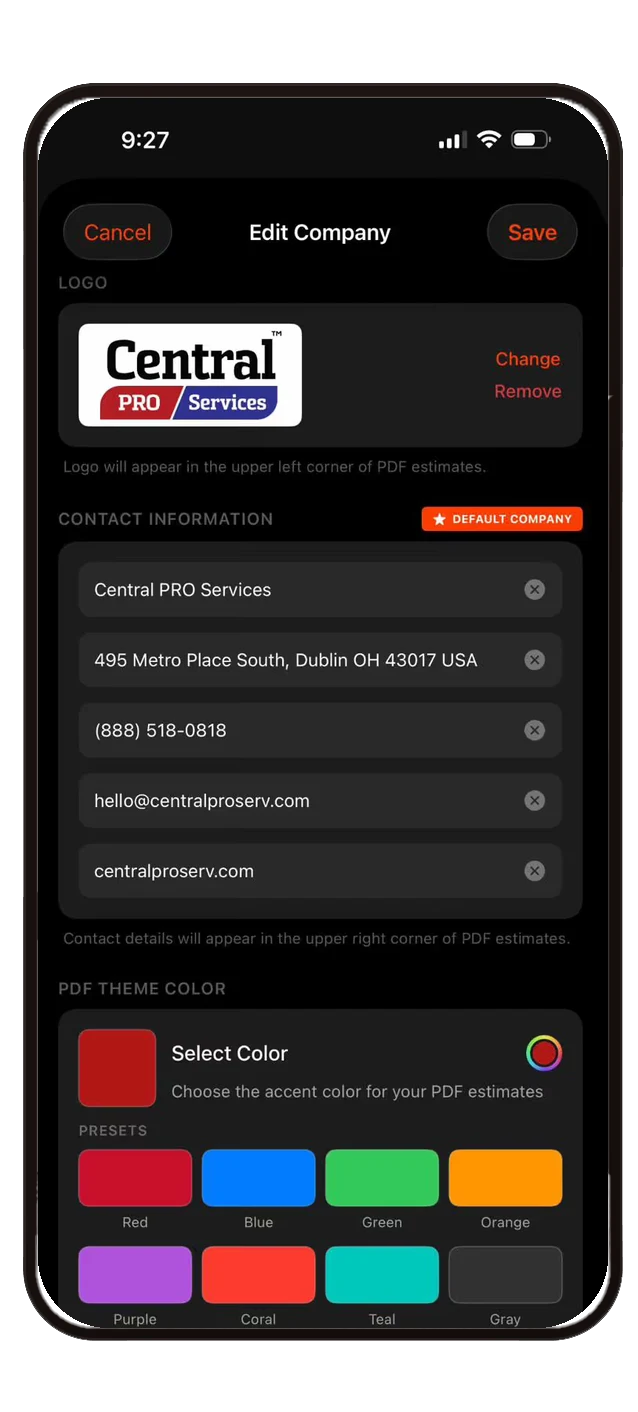
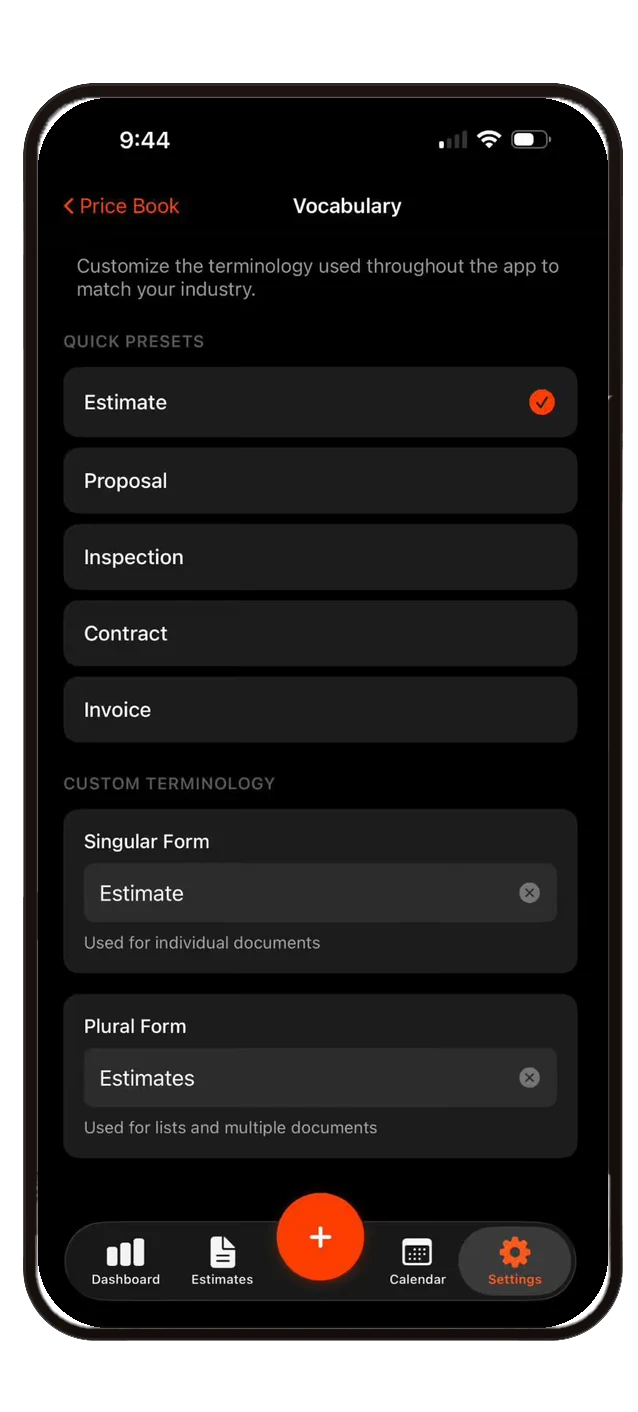
Upload your logo, set your brand colors, customize vocabulary, and control exactly what appears on your PDF estimates. Multi-company support for businesses managing multiple brands.

PDF Theme Colors
8 preset accent colors plus a custom color picker. Your estimates look like your brand.
Custom Vocabulary
Call it an Estimate, Proposal, Inspection, Contract, or Invoice — the app adapts its terminology to your business.
Multi-Company Support
Separate logos, contact info, and branding per company. Switch between them instantly with a default company setting.
Data that drives decisions.
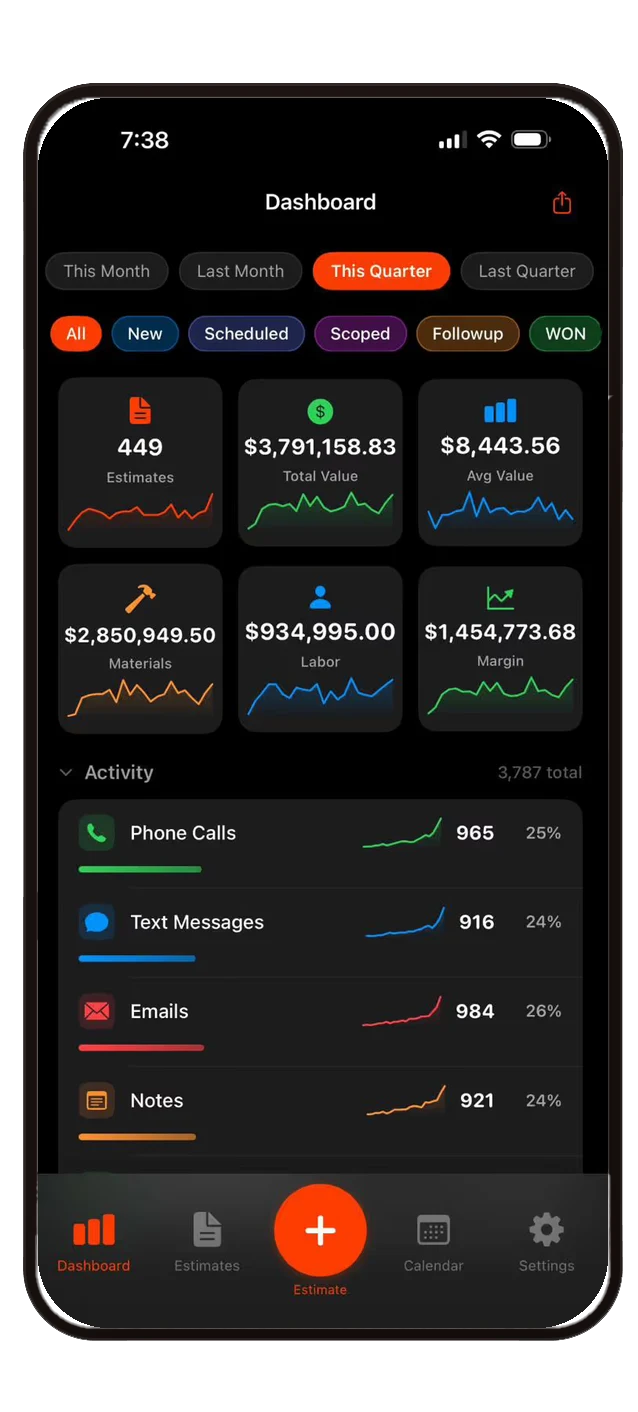
Real-time KPI dashboard with total estimates, value, average value, materials, labor, and margin. Filter by time period, tag, or company. Export shareable PDF reports with pipeline breakdowns and detailed estimate data.

KPI Dashboard
Six key metrics with sparkline charts. Filter by This Month, Last Month, This Quarter, Last Quarter, or custom date ranges.
Activity Analytics
Track phone calls, text messages, emails, and notes with counts, percentages, and trend sparklines per activity type.
PDF Reports
Export branded reports with key metrics, pipeline tables, and detailed estimate breakdowns. Share with managers via email or text.
Why contractors switch.
Stop juggling spreadsheets, Word docs, and text threads. Smart Scope replaces the chaos with one streamlined workflow.
Enterprise-grade AI tools. One simple plan.
Enterprise-grade AI tools that crush the time it takes to scope work and turn your customers into your biggest fans. Start with 45 days free.
Enterprise-grade AI tools that crush the time it takes to scope work and turn your customers into your biggest fans.
Buy Now and Save 28%45-day free trial included. No credit card required to start.
Enterprise-grade AI tools that crush the time it takes to scope work and turn your customers into your biggest fans.
Choose Plan45-day free trial included. No credit card required to start.
Your data is yours — export everything, anytime, in one tap. No contracts, no lock-in, and when a trial or subscription ends, nothing gets deleted.
Stop guessing. Start scoping.
Download Smart Scope and send your first AI-powered scope in minutes. 45 days free — the whole enchilada.