
Walk the job once. The whole bid writes itself.
Kitchens, baths, basements, additions — walk the space once and talk through the plan. Smart Scope turns your photos and voice notes into a complete multi-trade bid the homeowner can sign the same day.
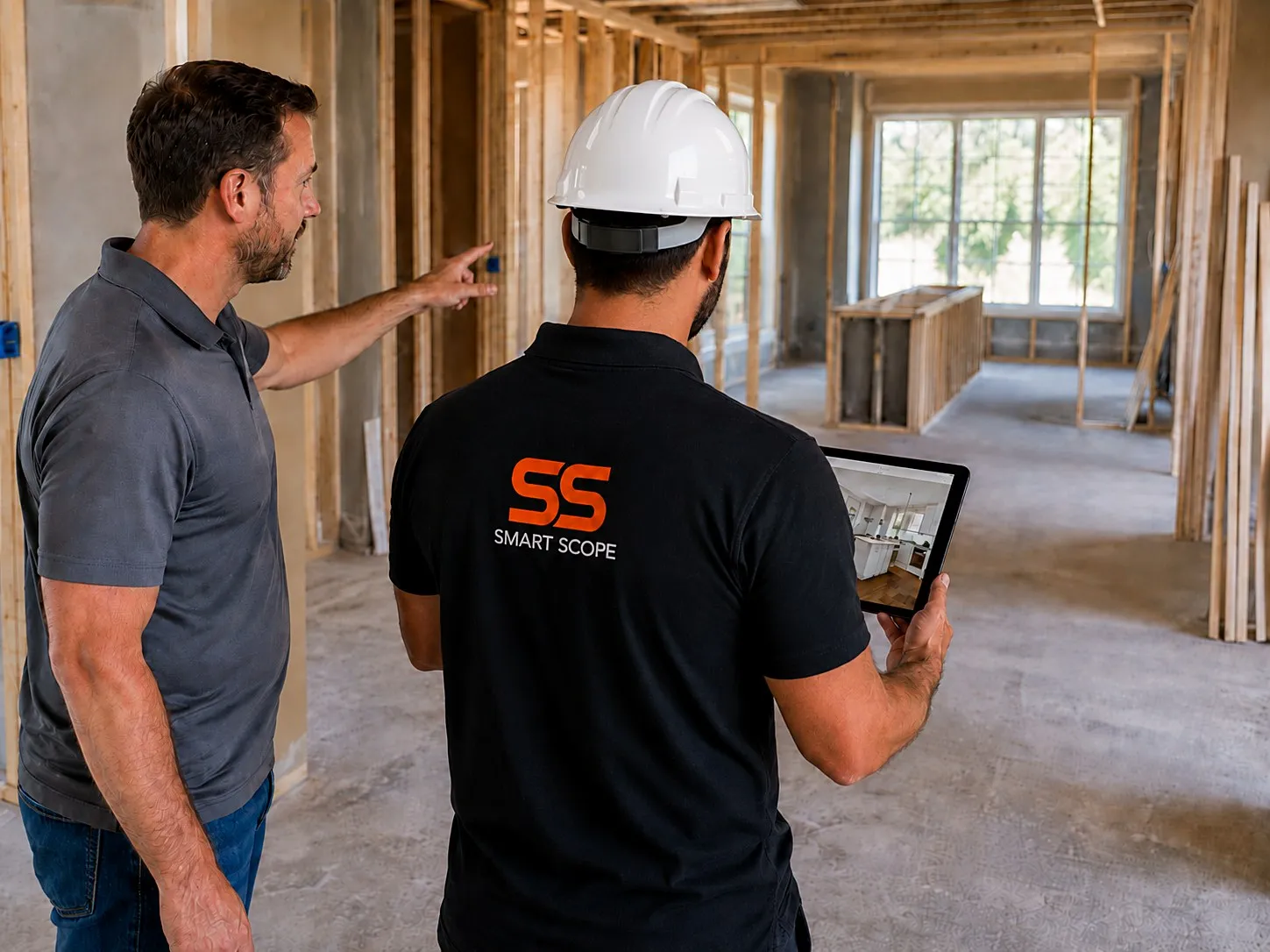
Run bigger jobs with less back office.
One walkthrough, every trade
Photos and voice notes become a scope that covers demo, framing, plumbing, electrical, and finishes — nothing falls through the cracks between trades.
Your price book, built in
Set your labor rates, markups, and sub pricing once — every bid prices consistently, on every job.
Talk it out, don't type it
Describe the job room by room while you walk it — your voice notes become organized line items, grouped by trade.
Options and allowances, handled
Give homeowners good-better-best finish options and clear allowances — decisions get made faster and surprises shrink.
Deposits and draws in the app
Collect the deposit at signing and invoice each phase as you go — cash flow keeps pace with the schedule.
Know every job's margin
See profit per job and per phase at a glance — know which work is actually worth taking before you bid the next one.
From walkthrough to signed contract
Walk the space & snap photos
Remodel or addition — capture every room, note what's staying and what's going, and talk through the plan as you walk.
AI drafts the full scope
Smart Scope organizes your photos and notes into line items by trade and phase, priced from your own price book.
Send, sign & get paid
Text or email the proposal the same day — the homeowner signs digitally and the deposit is in before demo starts.
Every project, scoped in one visit
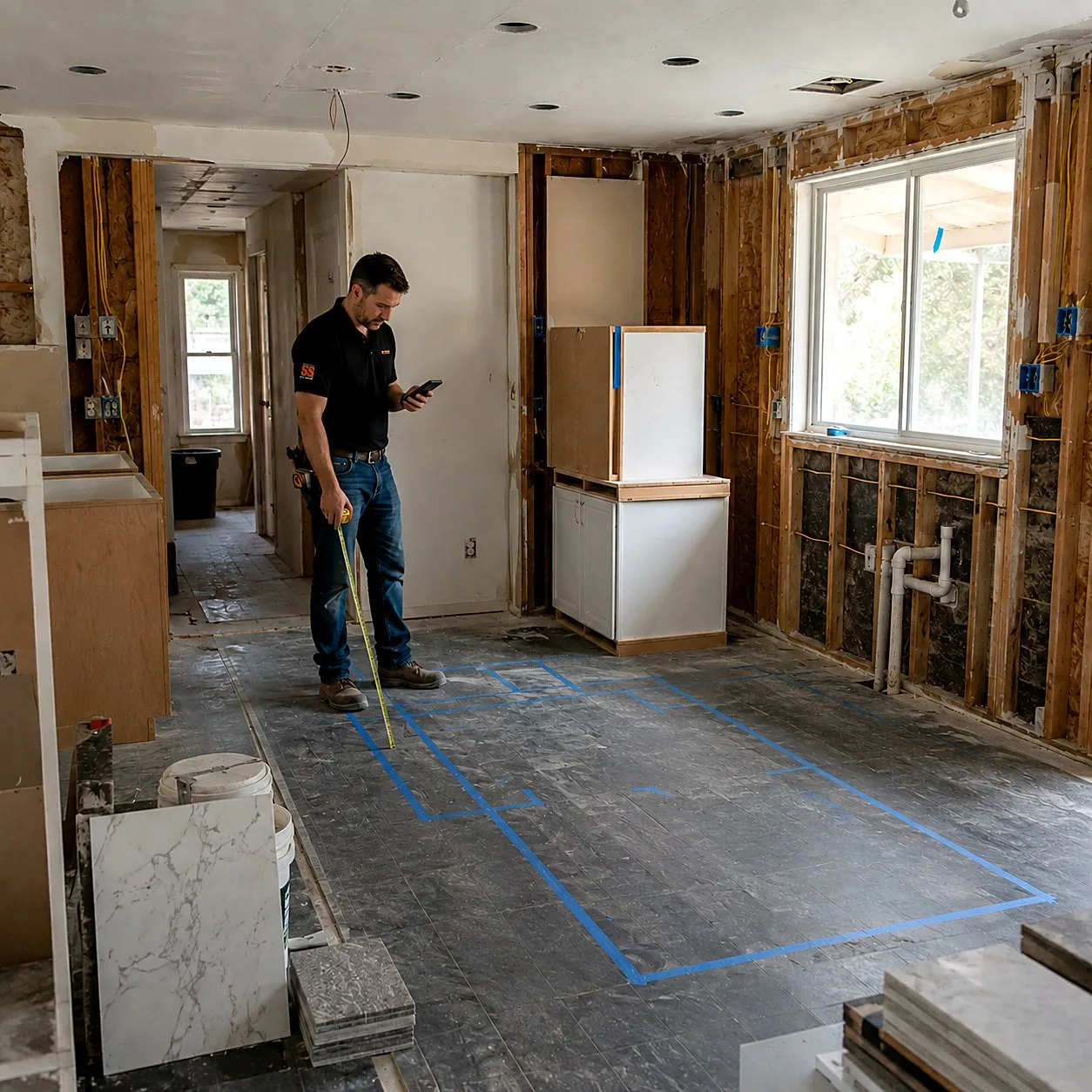
Kitchen gut & remodel
“Full kitchen gut — new cabinets and island, quartz counters, move the sink two feet, new circuits for the range and dishwasher, tile floor.”
A room-by-room bid with demo, plumbing, electrical, cabinets, counters, and flooring as separate line items — plus allowances for the finishes the homeowner hasn't picked yet.
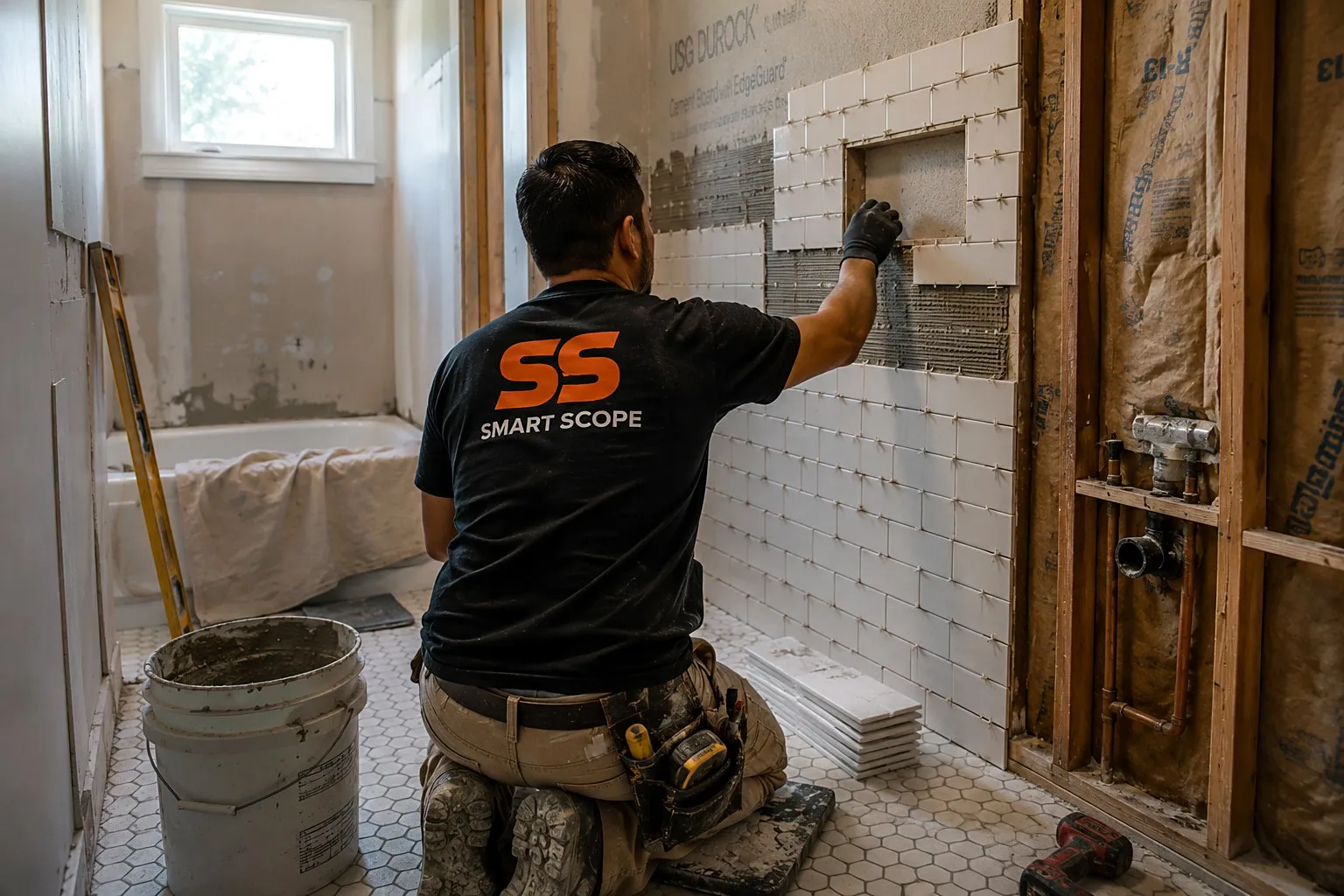
Hall bath renovation
“Tub out, tiled shower in — new vanity, toilet, exhaust fan, heated floor, full waterproofing behind the tile.”
A complete bath bid separated by trade, with waterproofing and tile as their own line items so the homeowner sees exactly what they're paying for.
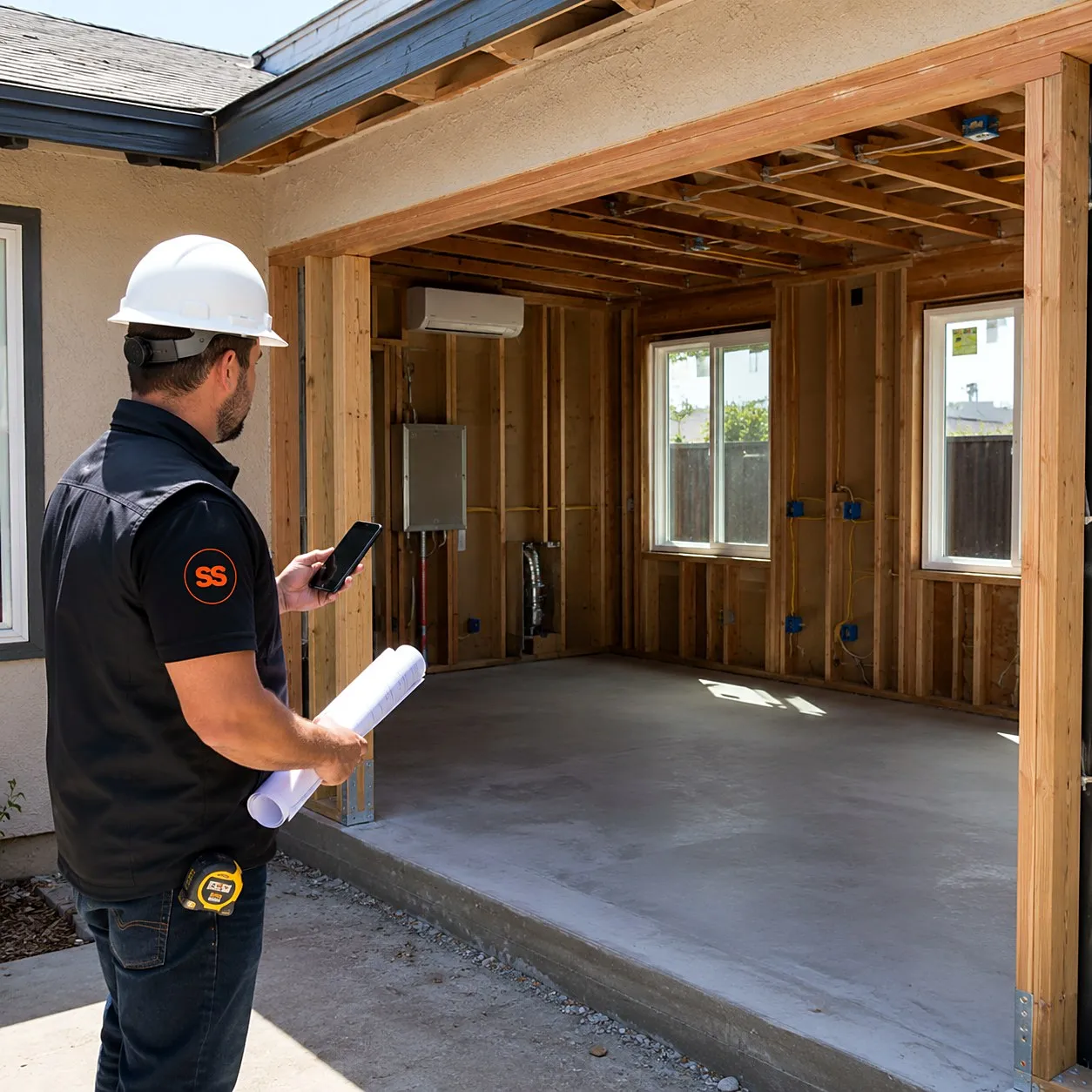
Home addition, 400 sq ft
“400-square-foot family room addition — footings and slab, framing, roof tie-in, three windows, electrical, a mini-split, drywall and paint.”
A phased proposal from foundation to finish, with progress payments to match — signed before the permit application goes in.
Built for jobs that run in phases.
Win the job
Walk the space once and send a professional, trade-separated bid the same day — while the other GCs are still typing theirs up.
Funded before demo day
The homeowner signs digitally and the deposit is collected in the app — the job is funded before the dumpster arrives.
Change orders, priced fast
Scope creep happens. Talk the change into your phone, price it from your book, and get sign-off before the extra work starts.
Final payment, no chasing
Send the final invoice from the driveway and get paid in the app — then see exactly what the job really made.
Practice on 100 sample remodels before a real client.
Sample data fills your pipeline with 100 GC scopes that look like your actual backlog — kitchen remodels, bathroom gut renovations, basement finishes, deck builds, garage conversions, and drywall repairs. Every scope carries tagged line items, an activity history, scope-of-work notes, and a financial breakdown with margin. Practice the whole flow, from first call to final payment milestone, without a single real dollar at stake.
One walkthrough, every trade covered
Site Walk
One multi-trade walkthrough, fully documented
Narrate the whole job — framing, mechanical, finish — while you snap photos and pull measurements. Everything lands in one timestamped timeline, with priced line items suggested after.
See Site Walk →
EyesOn
Answer a sub's question live
Your crew in the field streams the question; you answer from the office. Works hands-free with Meta Glasses, and the office follows on Command OPS.
See EyesOn →
General contractor questions, answered
Can one walkthrough really cover every trade on a job?
Yes — that's the point. One walkthrough produces a scope organized by trade: demo, framing, plumbing, electrical, and finishes each get their own line items, priced from your rates. The homeowner sees one clean, complete proposal instead of five separate quotes.
How do I handle change orders mid-project?
Scope the change the same way you scoped the job — talk it into your phone and Smart Scope prices it from your price book. Send it for digital sign-off so the paper trail exists before the extra work starts.
Can I show the homeowner options and allowances?
Yes — build good-better-best options for finishes and set allowances for selections the homeowner hasn't made yet. The bid stays accurate, and decisions stop stalling the schedule.
What does Smart Scope cost?
One subscription with everything included. See current plans on the pricing section of our home page, or download the app and take a look for yourself.
Does it work where there's no signal?
Capture doesn't need one. Site Walk notes, photos, form filling, and nameplate scanning all work offline — basements, crawlspaces, and dead zones included — and sync when you're back in coverage. AI drafting runs when you have a connection, so walk the job dark and let the estimate build on the drive out.
Is there an Android version?
Smart Scope runs on iPhone and iPad today; Android is on the roadmap. Your customers don't need the app at all — estimates, forms, and the portal open as web links on any device.
Does it replace my dispatch or routing software?
No — and it doesn't try. Smart Scope is the estimating layer: it wins the job, then syncs the scope straight to Smart Service, with webhooks to push your data anywhere else. Your dispatch board and routing stack stay right where they are.
Can my crew use it too?
It's built for the person doing the estimating, but it doesn't stop there — dispatch scopes to other users, put EyesOn live video in every tech's hand, and let the office follow along on Command OPS.
What does it cost to try?
Nothing — 45 days, full app, no credit card. When the trial ends you're never auto-charged; the app goes view-only until you decide, and your data stays yours to export.
Can it carry my license number and permit docs?
Your contractor license rides on every branded PDF, and permit or inspection forms attach as fillable PDFs — answered on site, flattened into the customer packet automatically.
Run the job site, not the back office.
Download Smart Scope and send the next proposal before you leave the walkthrough.