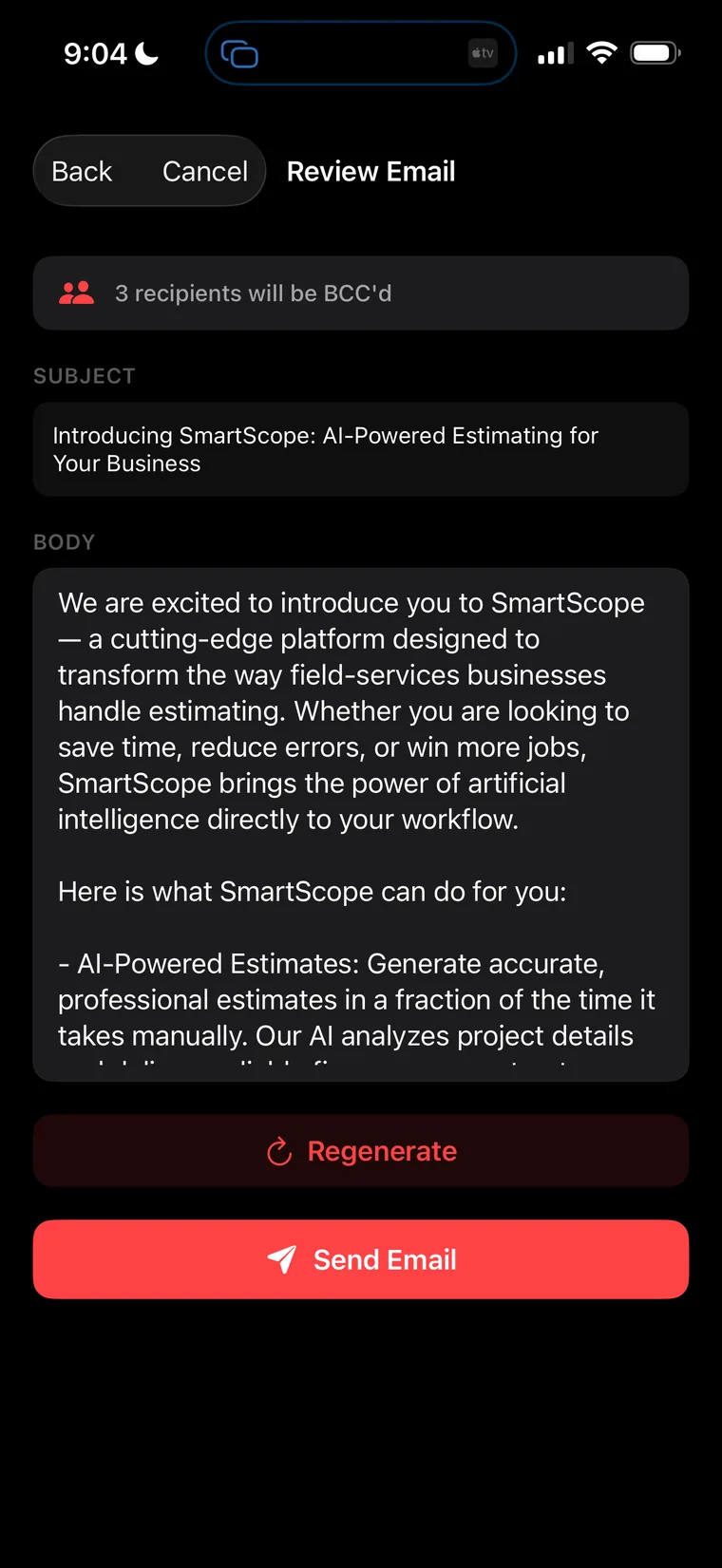
Smart Scope · Route Sales

Turn a zip code into a sales route.

Cold-calling from a spreadsheet is dead. With Smart Scope, you pick a business type, set a radius, and watch a full day of door-to-door prospecting build itself — list, map, route, and follow-ups included. Then you go do the part software can't: shake hands.

Free 45-day trial
No credit card required
Powered by your Claude API key
Scouting the neighborhood · 15 found
15
Prospects found
$0.00
Lead cost
~3 min
List to route
1
Tap to navigate
The full run · Start to signed

Eleven steps. One afternoon. Watch it happen.

This isn't a mockup — it's a real Wednesday in Dublin, Ohio. From the first tap of the + button to a logged on-site visit sitting on the calendar, here's the entire Commercial Route Sales workflow, screen by screen.

Phase 01 Scout
Step 01 · The + button

Everything starts with one tap.

Hit the big orange + and Smart Scope gives you three doors: Create with AI, Create Manually, or the one that changes your whole week — Find Businesses. No forms. No imports. No buying a lead list from some broker. Your next fifteen customers are already out there; you're about to go get them.

Zero data entry ahead
1
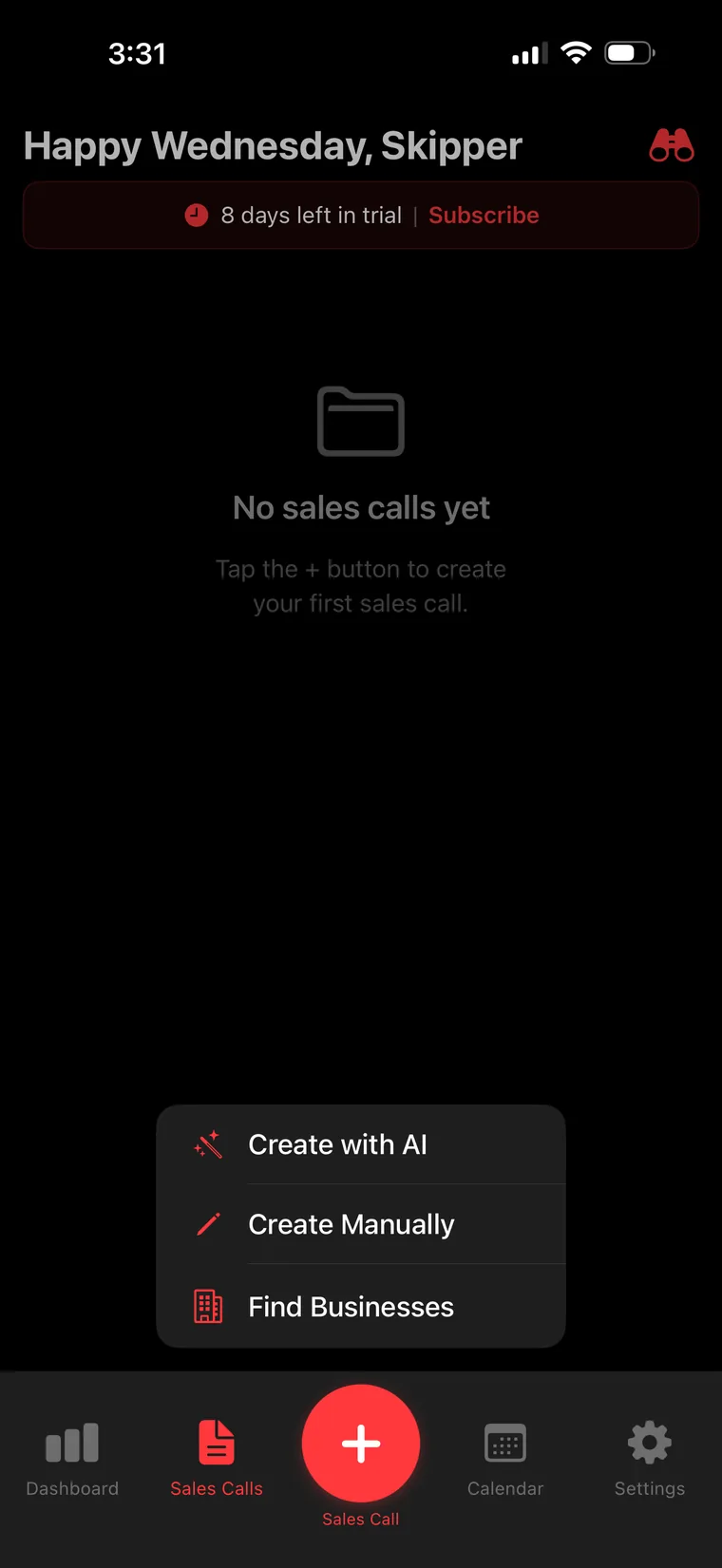
Smart Scope Sales Calls screen with the + menu open
Step 02 · Set the trap

Name your target. Draw your circle.

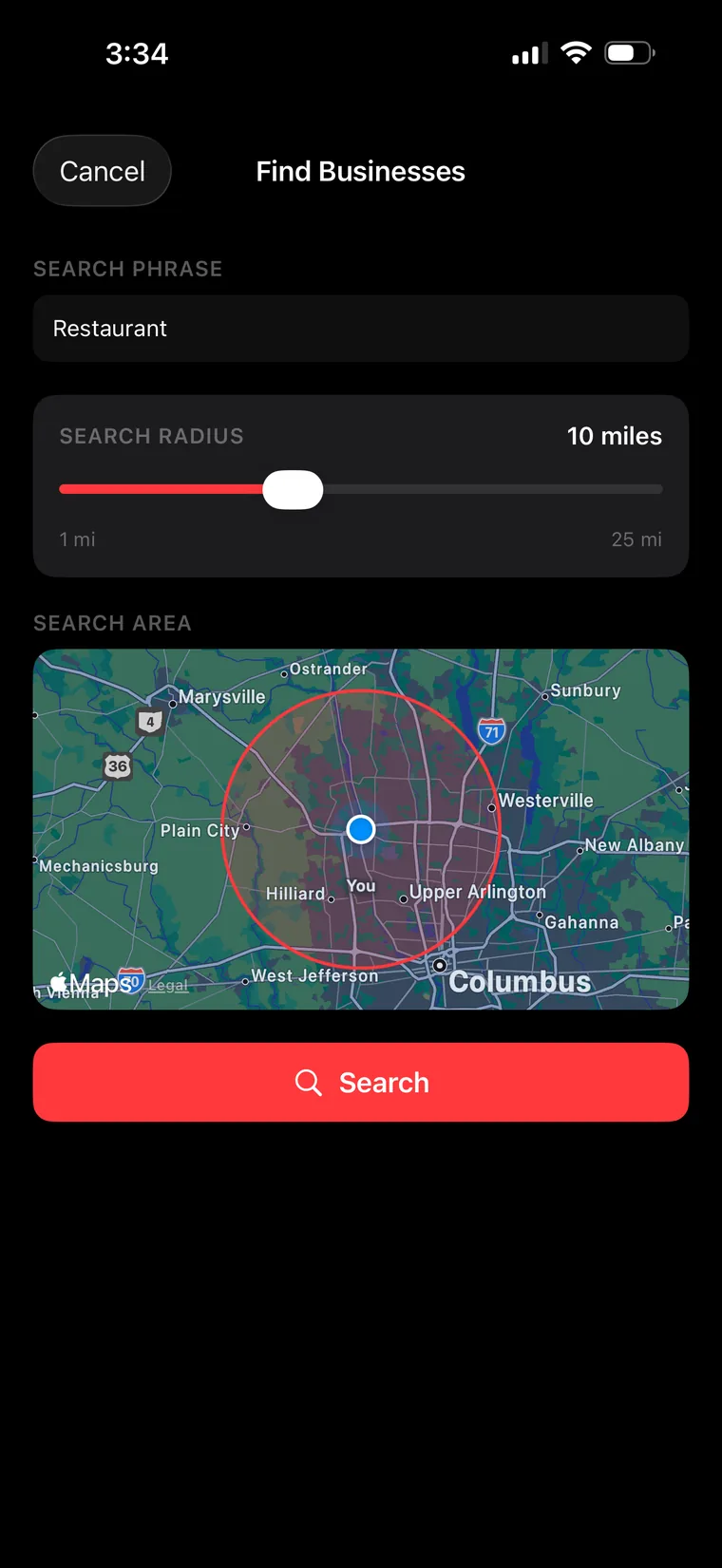
Type any business type — "Restaurant," "Property Manager," "Dentist," "Auto Shop" — then drag the radius slider anywhere from 1 to 25 miles. A live Apple Maps circle shows exactly the territory you're about to work, centered right on you. This is prospecting the way it should feel: like planning a hunt, not doing homework.

1–25 mile radius · live map
2
Find Businesses screen with radius slider and live map
Step 03 · The scout

Smart Scope sweeps the neighborhood.

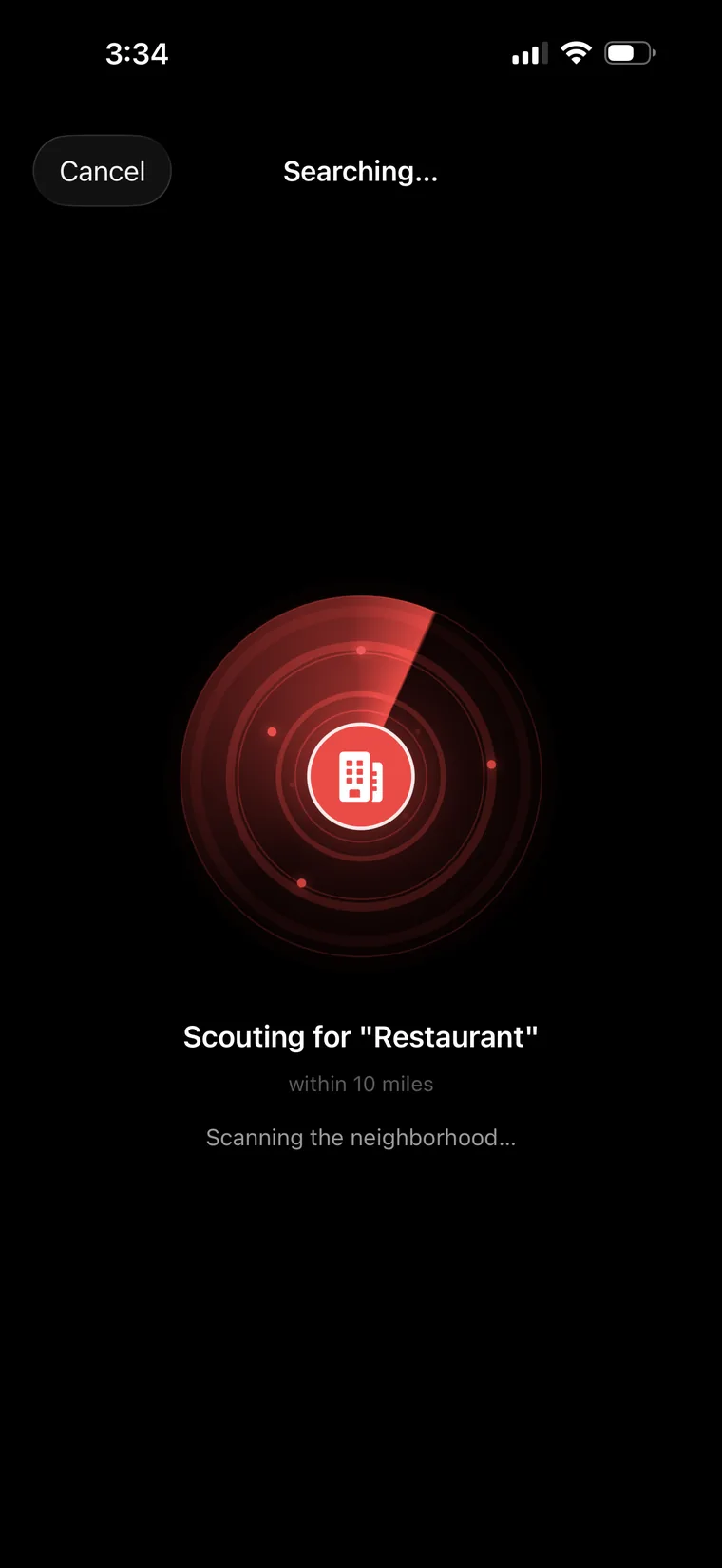
Tap Search and the radar spins up — literally. Smart Scope is scouting for "Restaurant" within 10 miles, scanning the neighborhood for every business that matches. It takes seconds. It feels like mission control. And every blip on that screen is a conversation waiting to happen.

Scanning the neighborhood…
3
Radar-style searching animation scouting for restaurants
Phase 02 Build the list
Step 04 · The haul

15 found. Names, numbers, websites — done.

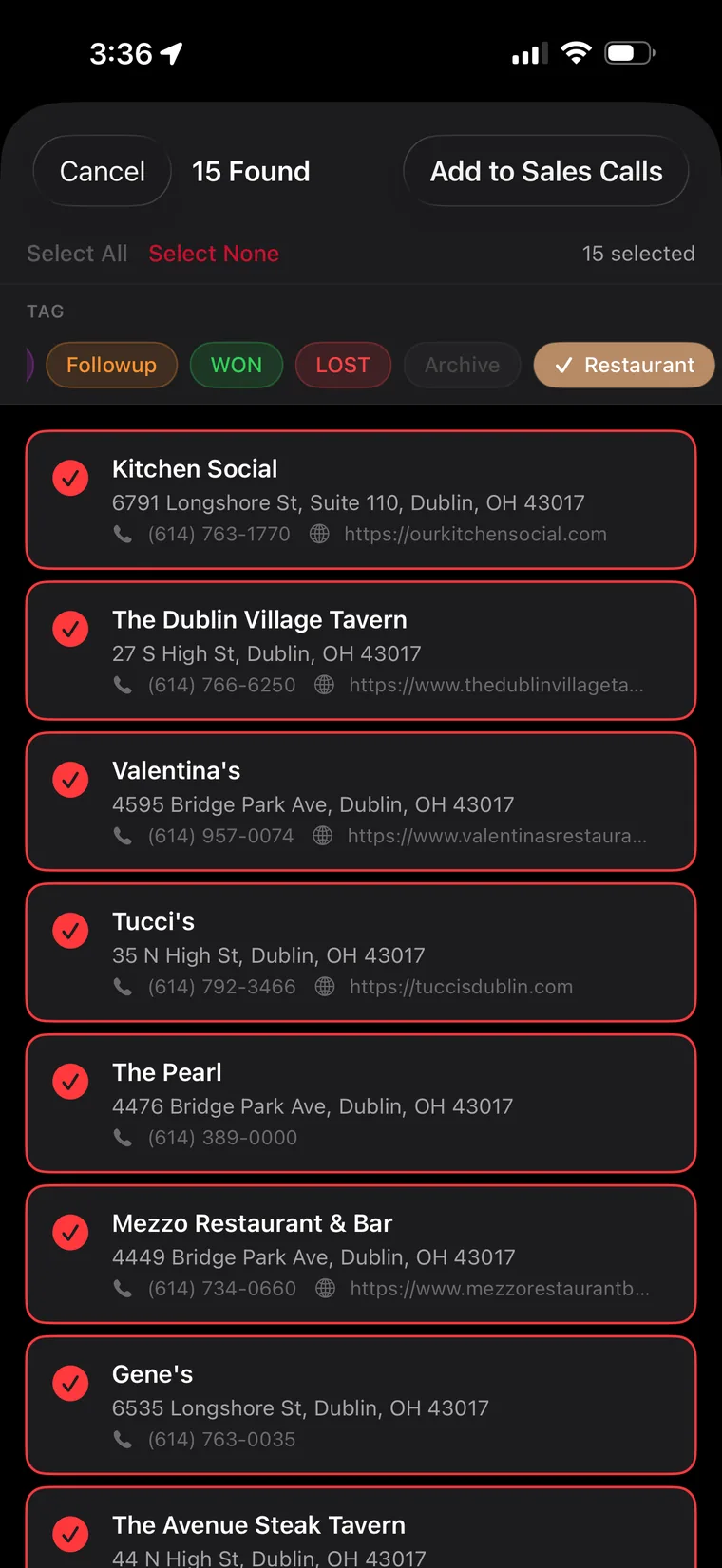
Fifteen real businesses, each with address, phone, and website already attached. Kitchen Social. The Dublin Village Tavern. Valentina's. Tucci's. Select all, slap a Restaurant tag on the batch, and hit Add to Sales Calls. What used to be an evening of copy-pasting from Google is now one tap.

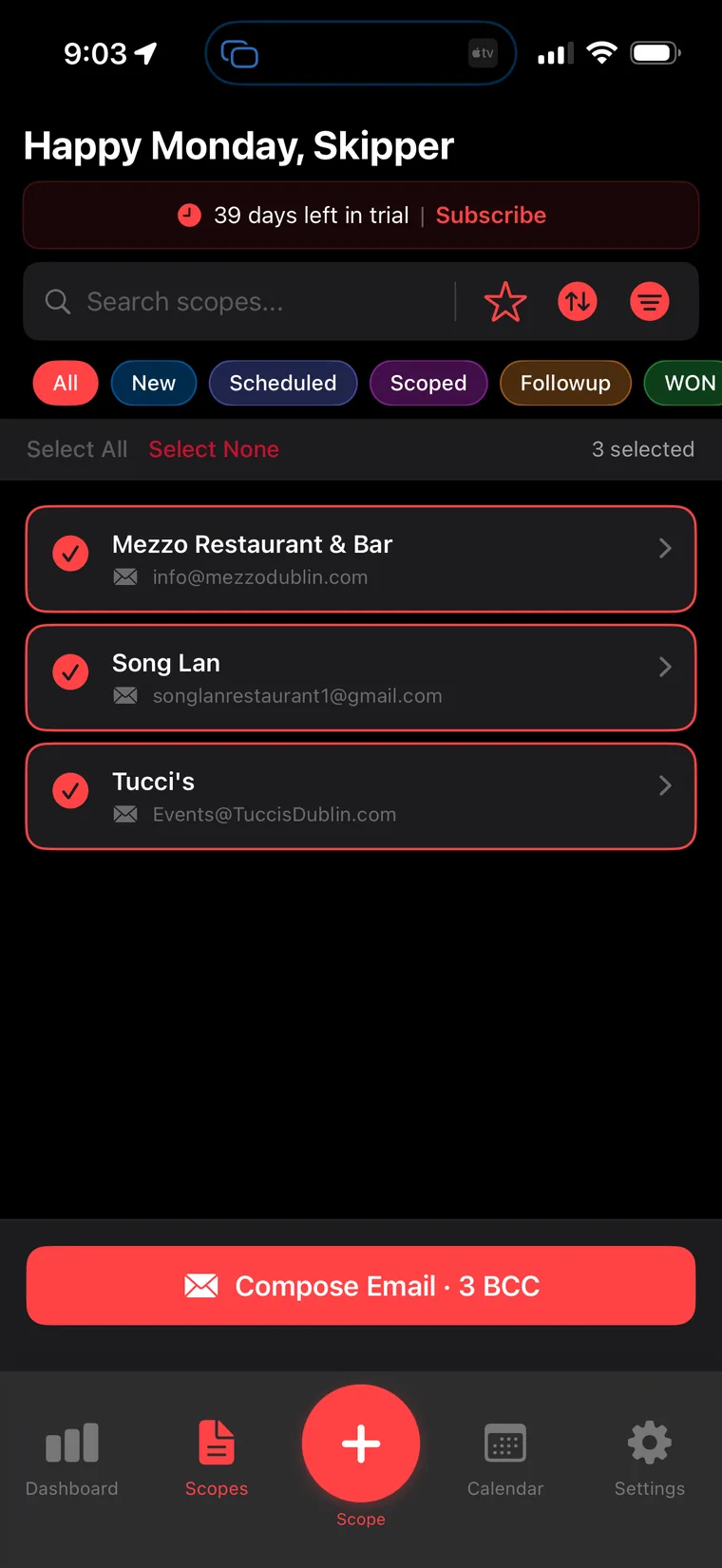
Select all · tag · add
4
Search results showing 15 businesses found ready to add to Sales Calls
Step 05 · The pipeline

A working pipeline for exactly $0.00.

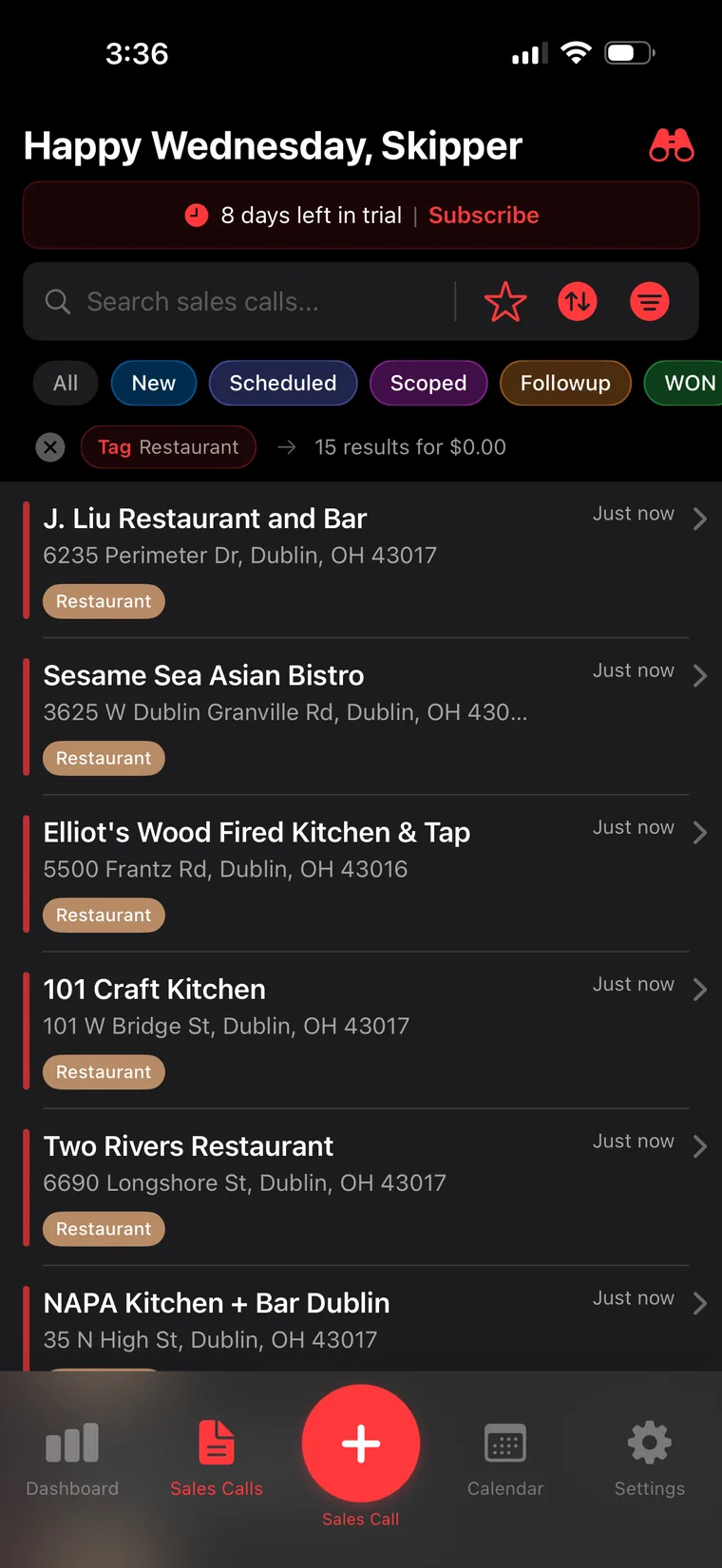
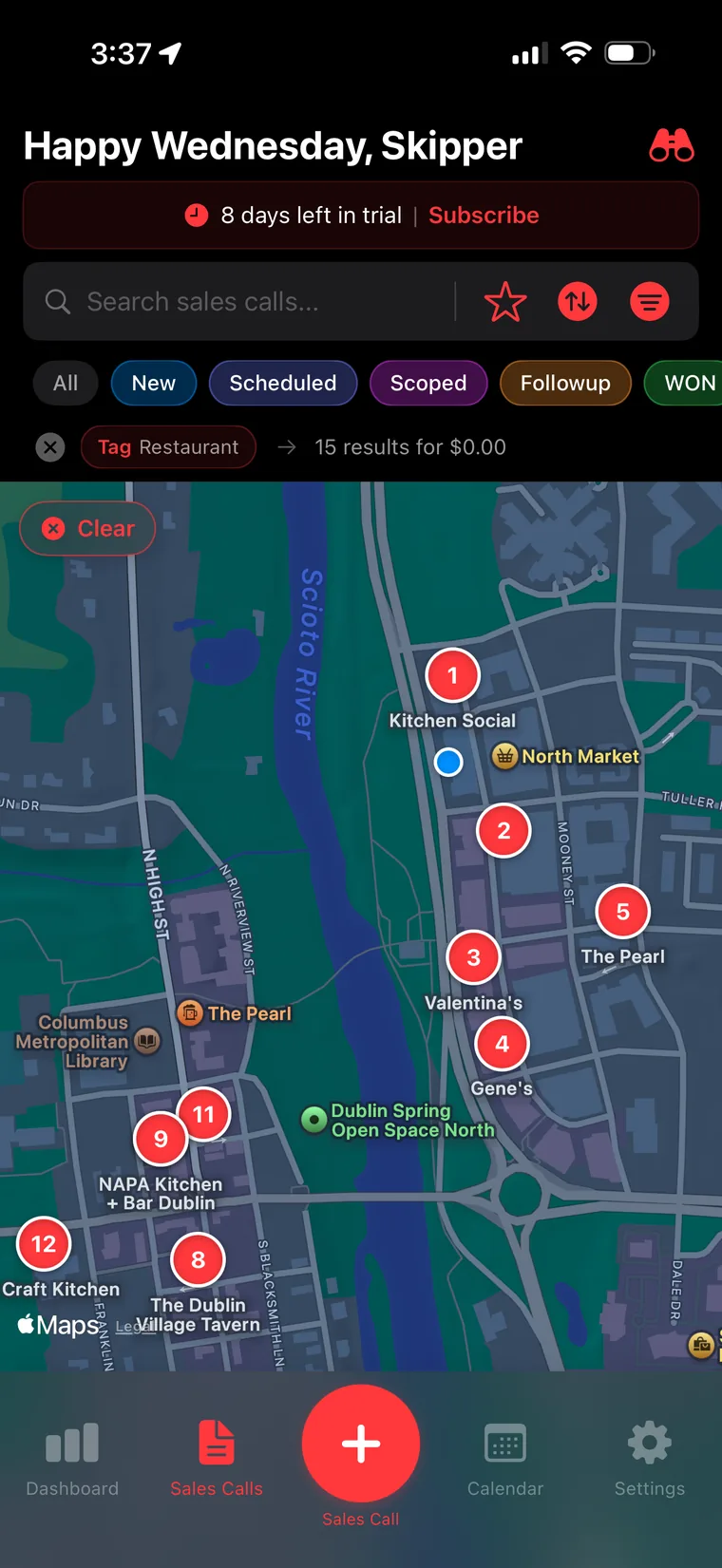
And there it is: 15 results for $0.00 — the app says it right on the screen. Every prospect lands in Sales Calls, tagged, filterable, and stamped "just now." J. Liu, Sesame Sea, Elliot's Wood Fired Kitchen, 101 Craft Kitchen — a full territory of restaurants, built faster than your coffee got cold. Lead-gen services charge hundreds for this. You just did it between red lights.

15 results · $0.00 spent
5
Sales Calls list filtered by Restaurant tag showing 15 results for zero dollars
Phase 03 Route the day
Step 06 · Map view

Flip to the map. Watch your day take shape.

One toggle and your list becomes a battlefield map: numbered pins dropped across Bridge Park and High Street, with the blue dot — that's you — sitting right in the middle of it. Kitchen Social is pin 1. Gene's is pin 4. Suddenly it's not a list of names; it's a route you can see, and the shortest path between fifteen handshakes is obvious.

List → map in one toggle
6
Map view with numbered pins for each prospect in Dublin Ohio
Phase 04 Make contact
Step 07 · The file

Every pin is a full sales-call file.

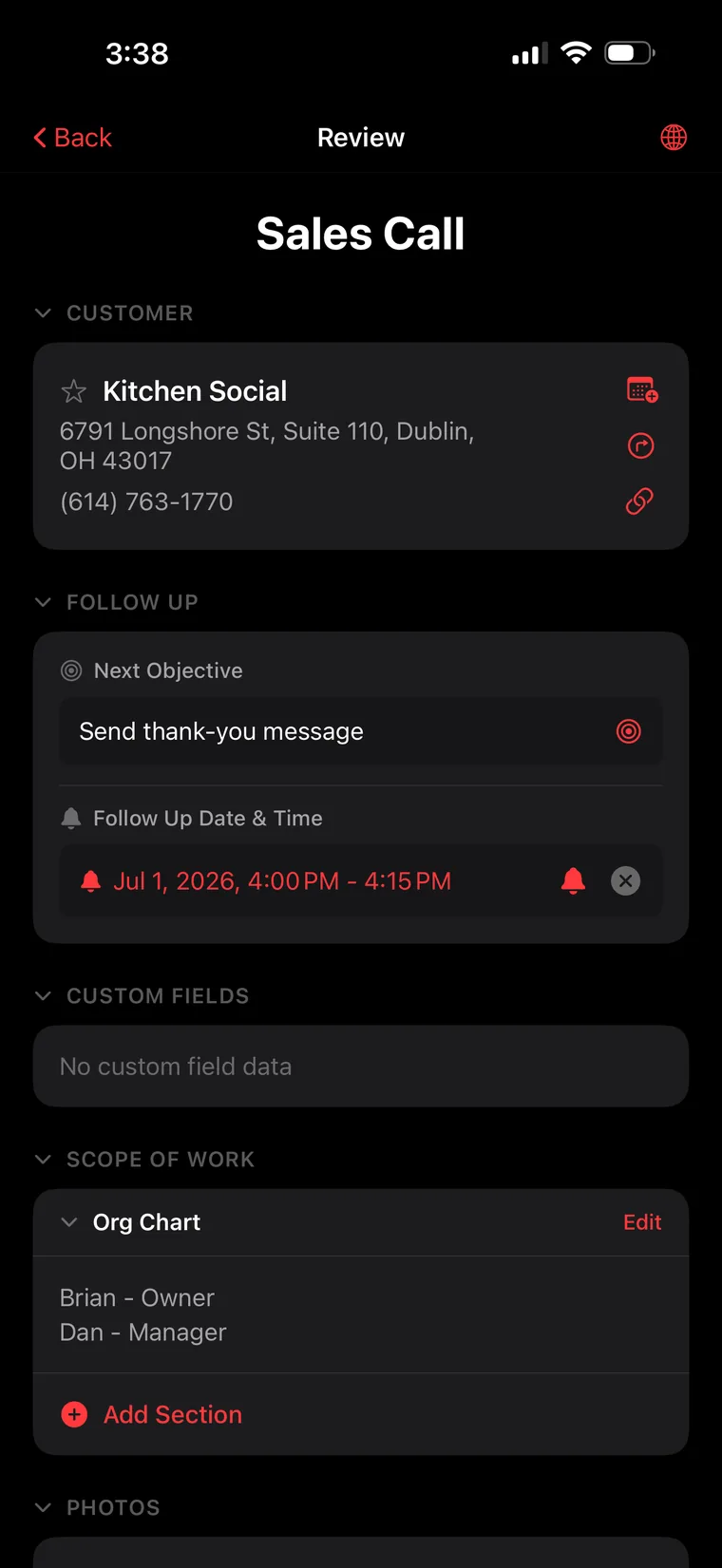
Tap into Kitchen Social and it's all there: address, phone, one-tap directions, and a Follow Up block with a Next Objective and a scheduled date & time. Scroll down and there's an Org Chart in the Scope of Work — Brian, Owner. Dan, Manager. You walk in knowing who runs the room before you ever open the door. That's not a contact card; that's a game plan.

Objective-based selling
7
Sales call review screen for Kitchen Social with follow-up objective and org chart
Step 08 · Boots on the ground

Knock. Talk. Log it in seconds.

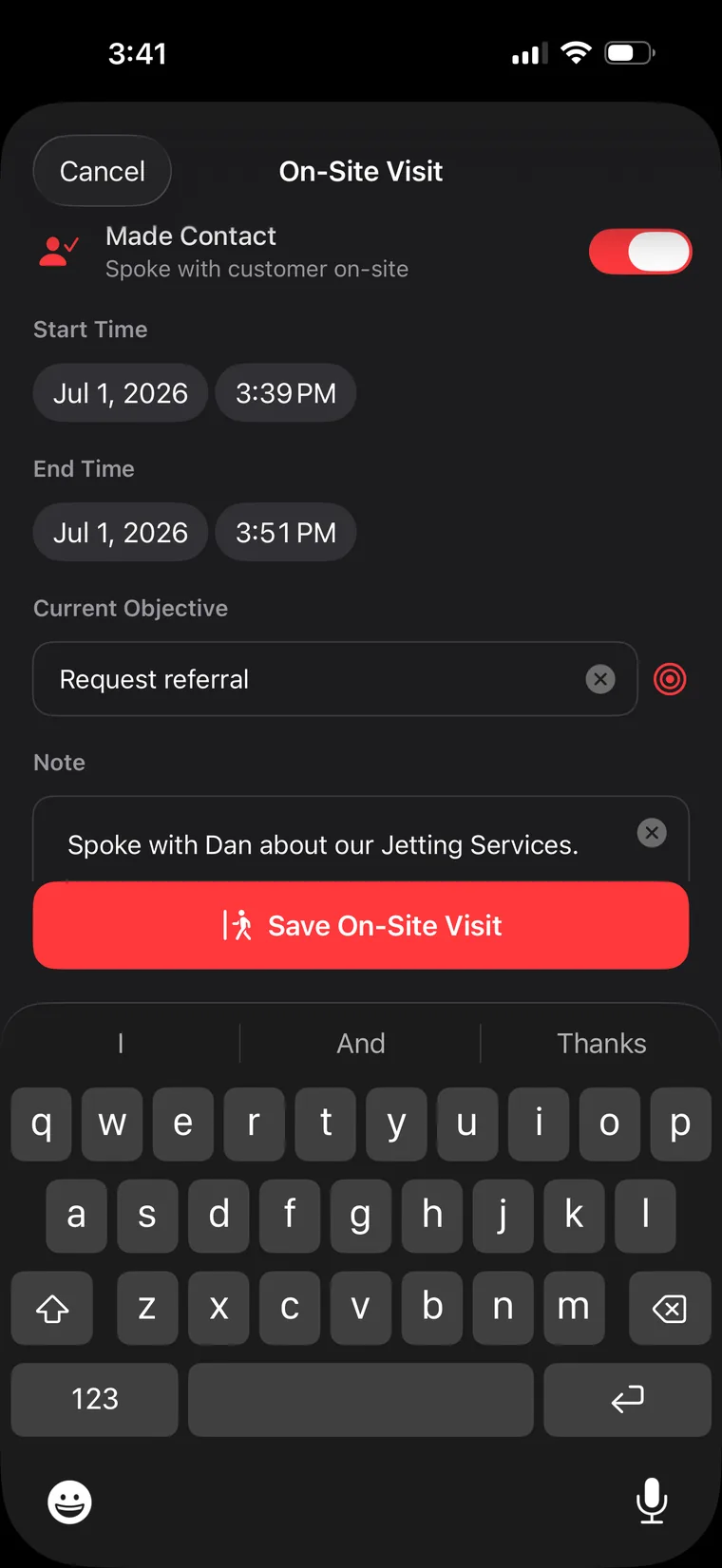
You made the visit — now capture it before you're back at the truck. Flip Made Contact, and Smart Scope stamps the start and end time automatically. Set the objective you worked — Request referral — and drop a quick note: "Spoke with Dan about our Jetting Services." Eleven minutes on-site, fifteen seconds to log it. This is CRM at walking speed.

Auto time-stamped visits
8
On-site visit form with Made Contact toggled on and a Request referral objective
Step 09 · The momentum machine

The visit becomes history. The objective becomes momentum.

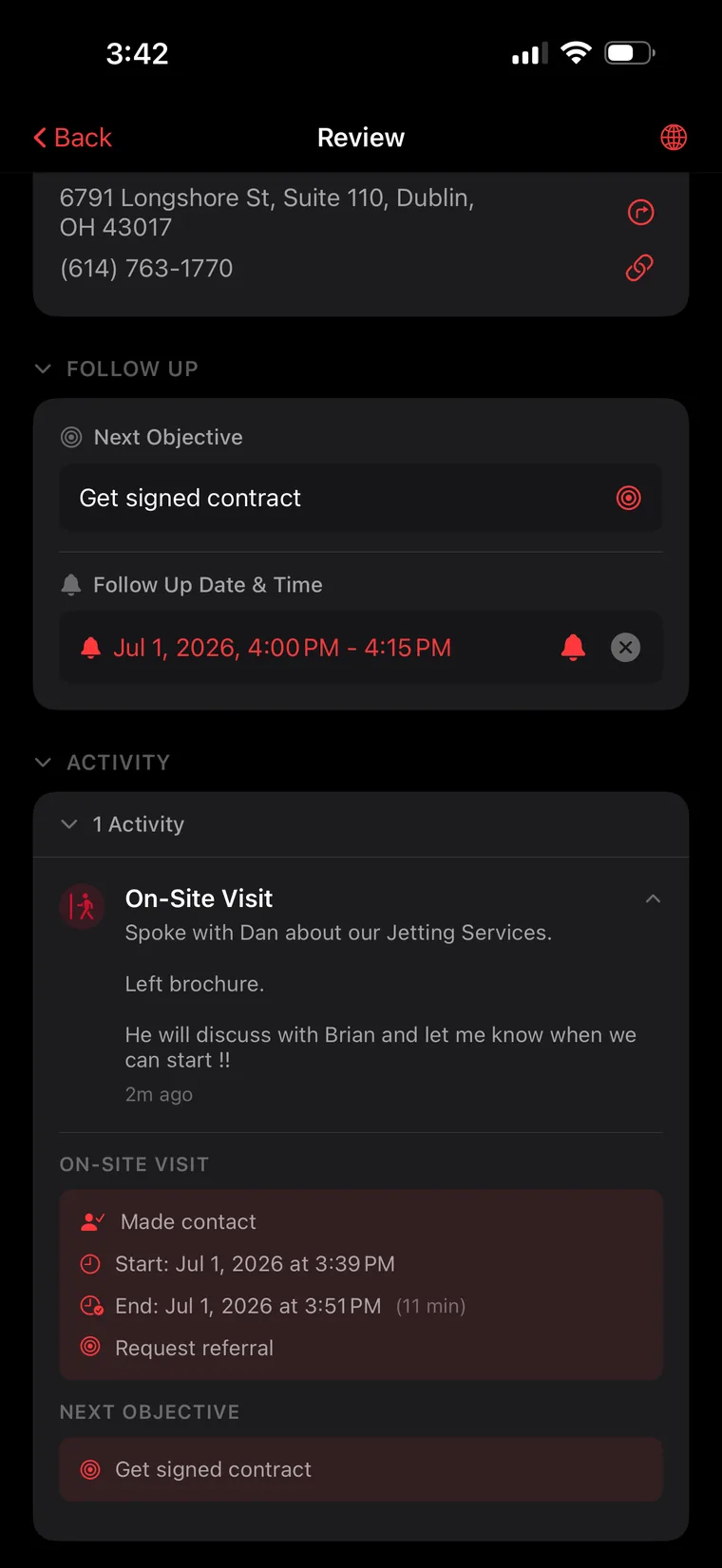
Save it, and the visit turns into a permanent On-Site Visit activity: made contact, 3:39–3:51 PM, 11 minutes, objective worked, full notes — "He will discuss with Brian and let me know when we can start!!" And the follow-up is already loaded: Next Objective — Get signed contract, reminder set for 4:00 PM. Nothing lives in your head. Nothing falls through the cracks. Every visit ends with the next move already scheduled.

Full audit trail · next move loaded
9
Review screen showing the logged on-site visit activity with notes and next objective
Step 10 · Rolling

Next stop? One tap and you're driving.

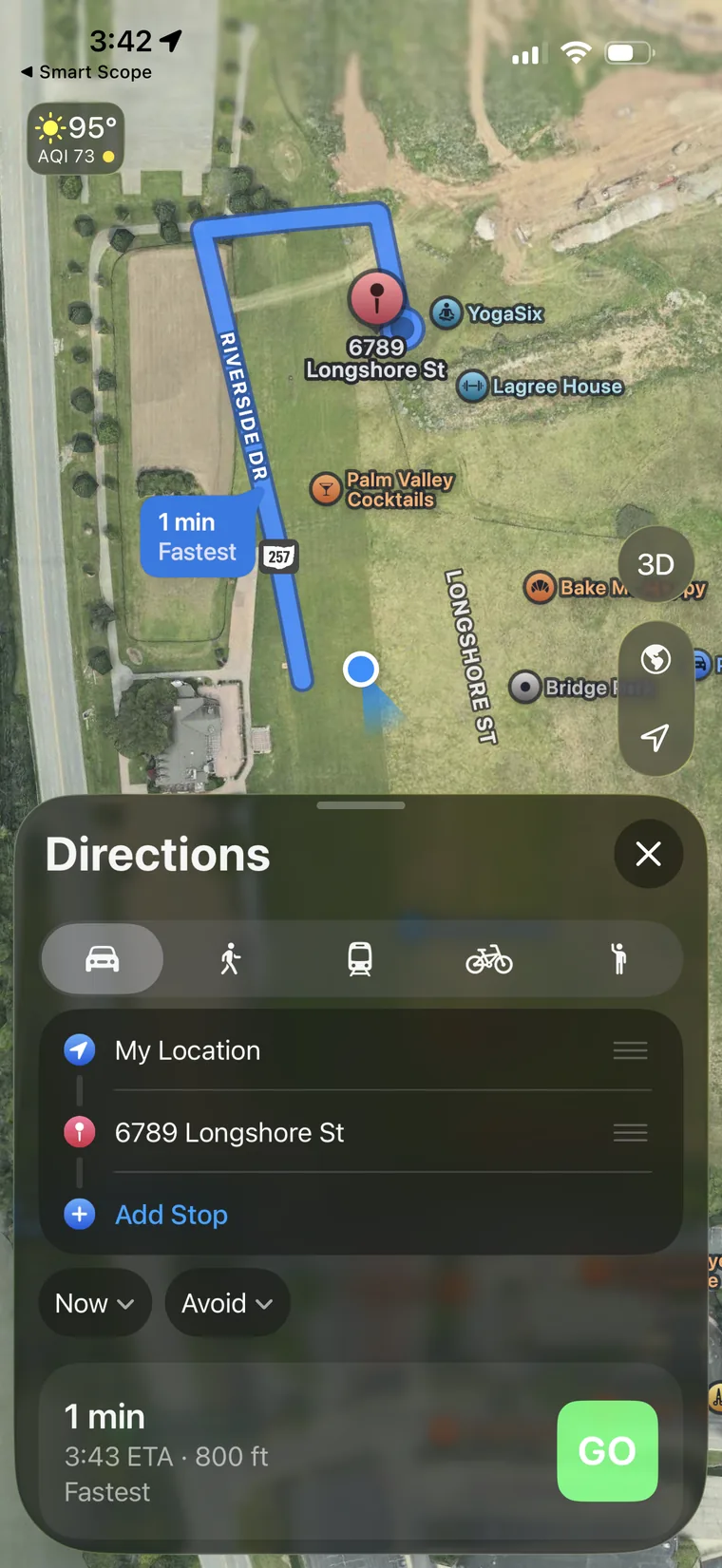
Tap the directions icon on any prospect and Smart Scope hands off straight to Apple Maps — route drawn, ETA calculated, GO button glowing green. No copying addresses, no typing, no fumbling at a stoplight. The distance between "done here" and "en route to the next one" is exactly one tap. That's how you hit fifteen doors in an afternoon.

One-tap turn-by-turn
10
Apple Maps directions launched from Smart Scope with a GO button
Phase 05 On the record
Step 11 · The receipt

It's already on your calendar. All of it.

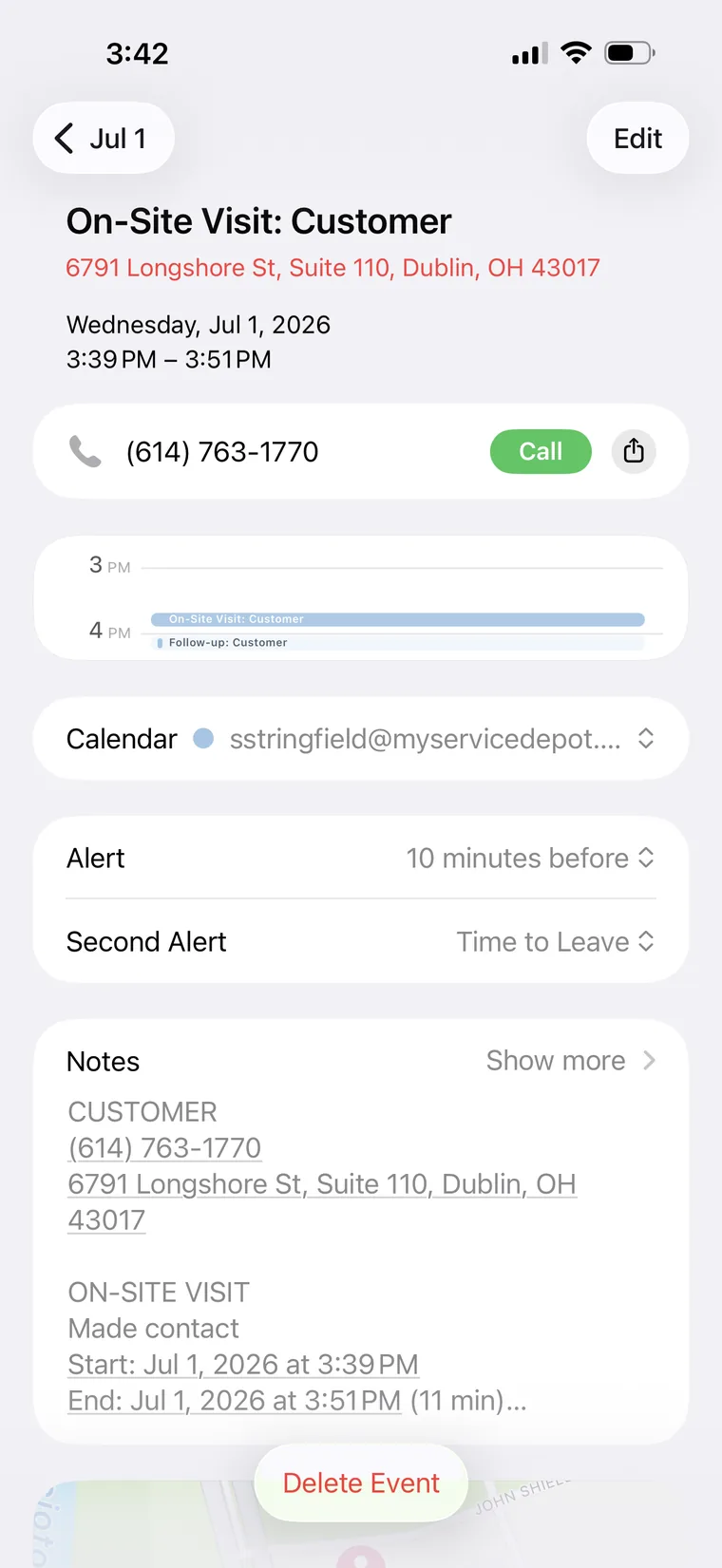
Open your phone's calendar and the visit is sitting there like it always belonged: On-Site Visit: Customer, 3:39–3:51 PM, address, a tappable Call button, and the complete visit notes synced into the event. Your day, your visits, your follow-ups — all on the calendar you already live in. At the end of the week, your calendar isn't a plan. It's proof.

Syncs to your device calendar
11
iOS calendar event created by Smart Scope with visit details and call button

"Software builds the list, draws the map, and keeps the record. You bring the handshake. That's the whole idea."

Commercial Route Sales · Smart Scope

Fifteen doors are waiting.

Download Smart Scope, tap +, and build your first route before lunch. 45 days free — the whole enchilada.

Free 45-day trial
No credit card required